

Standing desks have become a popular choice for people looking to add more flexibility and healthier habits to their workday. It’s now common to see office workers spending part of the day on their feet instead of sitting in a chair for hours at a time.
That said, you can still end up with a sore back, aching legs, or wrist pain if your desk is poorly designed or improperly set up. The truth is, even a high-end model can become uncomfortable if you don’t use it properly. A lot of these problems come from small habits people overlook every day: setting the desk at the wrong height, not moving enough, or placing the monitor in the wrong position. Many people also skip basic stretches and movement breaks throughout the day.
We put together this guide to help you identify common setup problems and fix them properly. We’ll cover posture, stability, and what separates a durable standing desk from one that starts wobbling after regular use. There are also some 2026 picks from Liftdesk and other brands worth considering.
Key Takeaways
- Without regular movement, standing all day can become just as uncomfortable as sitting for hours.
- Desk stability affects comfort and posture more than many people realize.
- Proper screen and keyboard placement helps reduce strain on the neck and wrists.
- Small movement breaks throughout the day can improve focus and energy levels.
- A durable frame and reliable motor usually provide a better long-term experience.
Why the Switch to a Standing Desk Doesn’t Always Work Out

They’re often promoted as a simple way to create a healthier office setup, but for some people, the result is simply a different type of discomfort. In many cases, the desk itself is not the problem. More often, the issue comes down to poor habits, an incorrect setup, or staying in the same position for too long.
1. Standing for Too Long
Some people assume standing is automatically healthier than sitting. But without movement, you are simply replacing one problem with another. Over time, discomfort starts building in the feet, calves, and lower back. Even with a quality standing desk, regular movement still matters.
It’s better to alternate positions throughout the day. Walking, stretching, and changing posture regularly help reduce pressure and improve circulation.
2. When a Bad Setup Ruins Your Posture
An incorrect desk setup can gradually create discomfort. If your monitor sits too low, you’ll naturally lean forward and strain your shoulders. Poor keyboard placement can also leave the arms tense after long work sessions.
To maintain a comfortable setup, the monitor should sit near eye level while the keyboard allows the elbows to rest at roughly 90 degrees.
Also see: Does Standing Burn Calories? Standing vs Sitting + 10 Best Standing Desks
The Most Common Standing Desk Mistakes
There are several setup mistakes that can make even a good standing desk uncomfortable to use.
1. The Wrong Height
This is one of the easiest mistakes to overlook. If the desk sits too high, the shoulders rise unnaturally. If it is too low, users often lean forward while typing. Ideally, the wrists should remain straight without needing to reach too high or too low.
2. Not Enough Stability
If the desk frame feels weak, it becomes obvious quickly. At standing height, wobble becomes more noticeable, especially with dual monitors attached to monitor arms. Constant movement while typing can become distracting and may even affect posture over time.
3. Staying in One Position Too Long
No one should remain completely still at a standing desk all day. Without movement, stiffness and fatigue build up quickly. Alternating between sitting, standing, and short walks usually creates a more comfortable work routine.
4. Choosing a Cheap Desk Frame
Lower-priced desks can look appealing initially, but weak motors and thin frames often struggle during long-term daily use. Over time, they become noisy and unstable. If you spend most of the day at your desk, investing in a stronger frame usually creates a much better experience.
5. Don’t Overlook Ergonomic Accessories
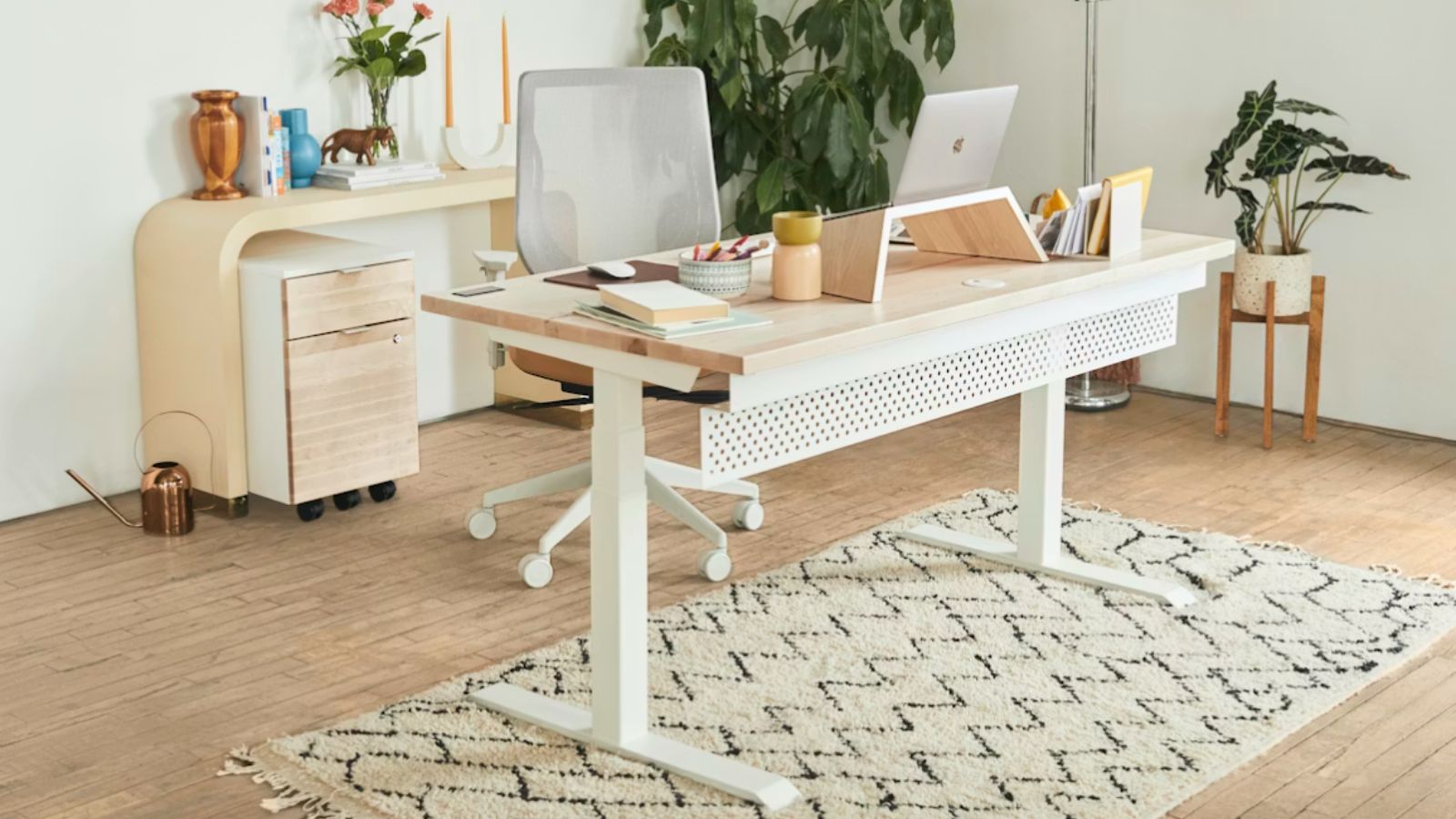
You can have a good desk, but without the right accessories, long work hours can still become uncomfortable. A supportive chair, a properly positioned monitor arm, and a well-placed keyboard all help create a better workstation setup.
Even something as simple as an anti-fatigue mat can reduce pressure on the feet and legs during long standing sessions. When alternating between sitting and standing, proper lumbar support also becomes important.
Simple Standing Desk Exercises That Actually Help
The best thing you can do for comfort at a standing desk is to keep moving. Standing in one spot for too long often leads to stiffness and fatigue. A few simple movements between tasks can improve circulation and help the body feel more comfortable throughout the day.
1. Calf Raises
After standing for long periods, calf raises help reduce pressure in the lower legs. Slowly lifting onto the toes and lowering back down helps activate the calf muscles and improve circulation.
2. Shoulder Rolls
Many people carry tension in their shoulders without noticing it. Shoulder rolls help relieve tightness from typing and extended screen time.
3. Neck Rotations
Long hours in front of a monitor can create stiffness in the neck and upper spine. Gentle neck rotations help loosen those areas and improve movement.
4. Standing Hamstring Stretch
Tight hamstrings can place extra strain on the lower back. A light stretch while standing helps reduce tension and improve comfort during long work sessions.
5. Desk Squats
Desk squats are a quick way to break up long periods of standing. A few controlled squats help activate the legs and encourage movement throughout the day.
How to Tell if a Standing Desk Will Hold Up
Standing desks vary significantly in build quality. Some begin developing wobble or motor issues after extended use. A durable standing desk should have a strong frame and a reliable lifting system capable of handling daily office use.
1. The Frame Is Everything
The frame is the foundation of the desk. A strong steel frame stays stable while typing or adjusting height. Weaker frames become more noticeable at taller standing positions.
2. Go for Dual Motors
Dual-motor systems generally operate more smoothly and handle heavier equipment with less strain than single-motor alternatives.
3. Weight Capacity
Monitors, PCs, monitor arms, and accessories all add pressure to the frame. Higher weight capacity usually improves stability during daily use.
4. Don’t Ignore the Warranty
Warranty coverage says a lot about overall build quality. Companies offering longer warranties typically have more confidence in the durability of their desks.
5 Sit-Stand Desks Worth Considering in 2026
Some standing desks do not hold up well over time. They become unstable, noisy, or inconsistent after heavy use. The desks below stand out for their stability, frame quality, and long-term reliability.
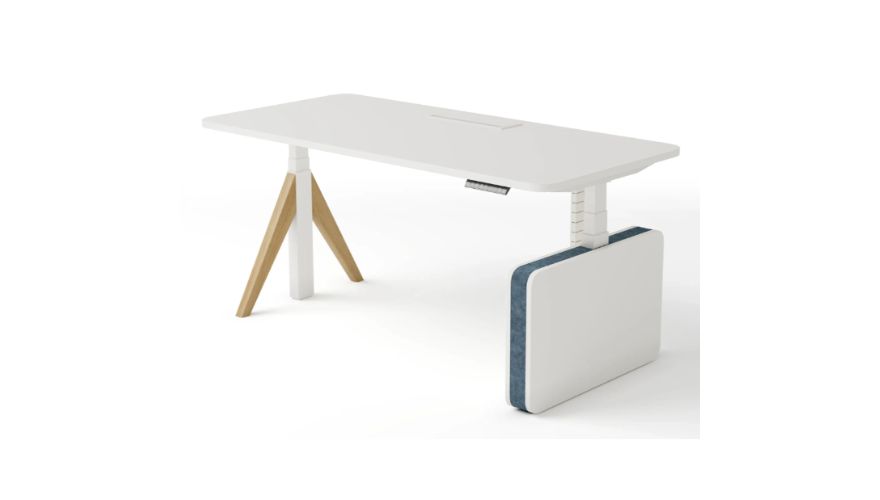
1. Liftdesk Sendi-E
The Liftdesk Sendi-E is designed for heavy daily office use. Its dual-style leg system provides strong support even with heavier workstation setups. It works well for businesses looking for reliable long-term office furniture.
Pros
- Stable frame design
- Built for daily use
- Dual-leg support improves balance
- Smooth height adjustment
- Professional office appearance
Cons
- Higher price point
- Requires more floor space
- Accessories may increase the total cost
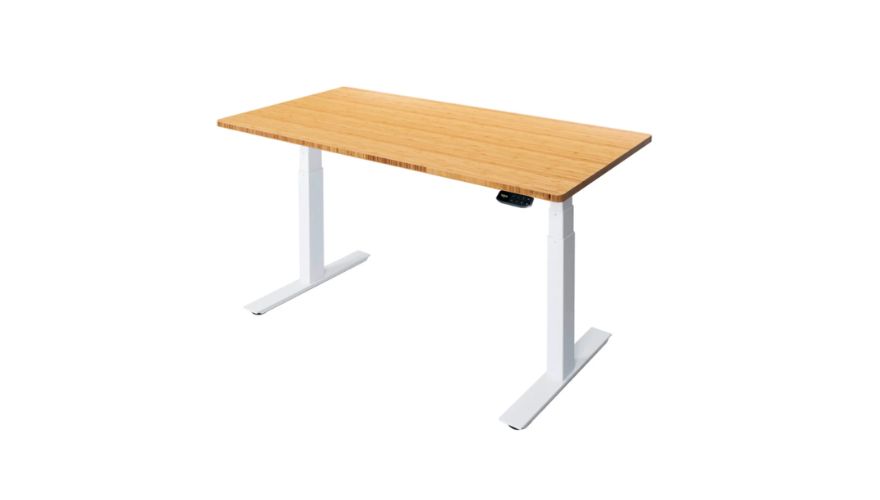
2. UpDown Pro Desk
The UpDown Pro Desk is popular in premium office setups because of its reinforced frame and quiet motor system. It performs especially well with heavier workstation equipment and multiple monitors.
Pros
- Excellent stability
- Quiet motor system
- Handles heavier equipment well
- Smooth lifting performance
- Strong warranty coverage
Cons
- Premium pricing
- Heavy frame
- Less suited for collaborative layouts
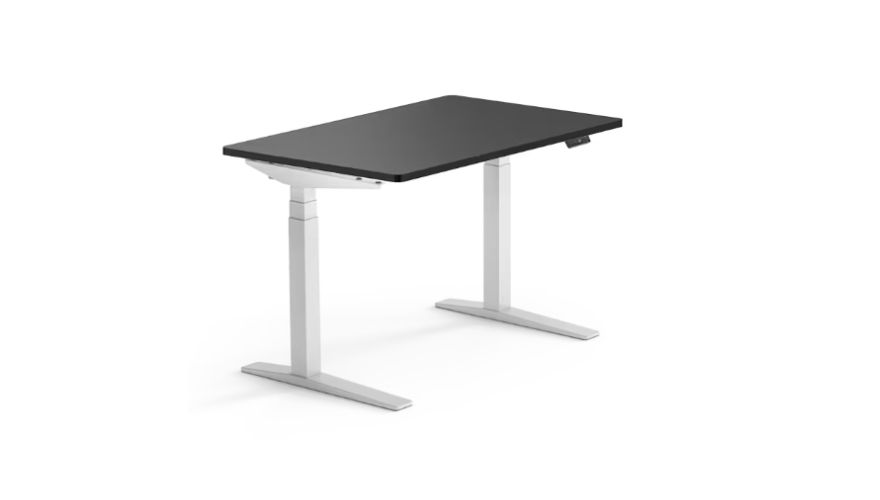
3. FlexiSpot E7 Pro
The FlexiSpot E7 Pro delivers strong performance without entering premium pricing territory. Its frame quality and stability make it a practical option for everyday office use.
Pros
- Competitive pricing
- Strong frame quality
- Smooth adjustment system
- Reliable motors
- Wide adjustment range
Cons
- Simpler visual design
- Some accessories are sold separately
- Delivery experience may vary
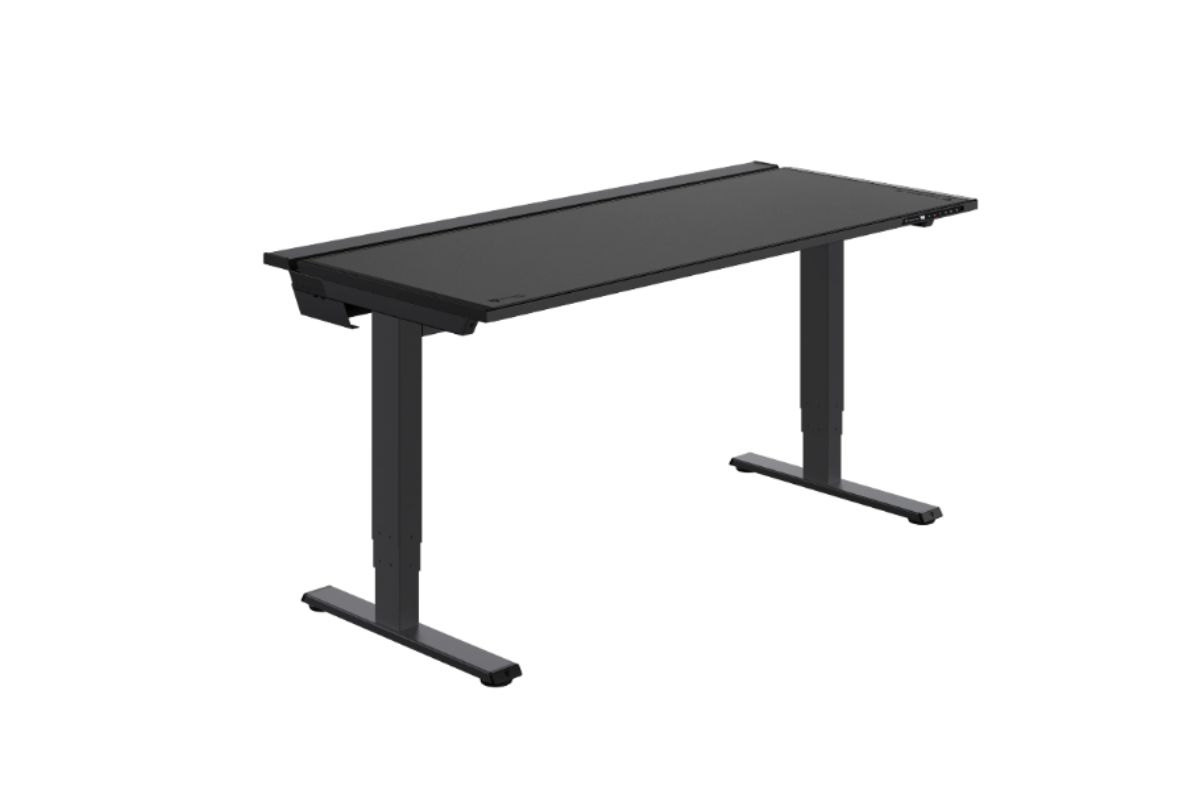
4. Secretlab Magnus Pro
The Secretlab Magnus Pro stands out for its integrated cable management and industrial-style design. It works especially well in tech-heavy workspaces with multiple screens and accessories.
Pros
- Excellent cable management
- Premium build quality
- Stable at standing height
- Modern design
- Suitable for multi-monitor setups
Cons
- Expensive compared to standard desks
- Heavy construction
- Design may not suit every office
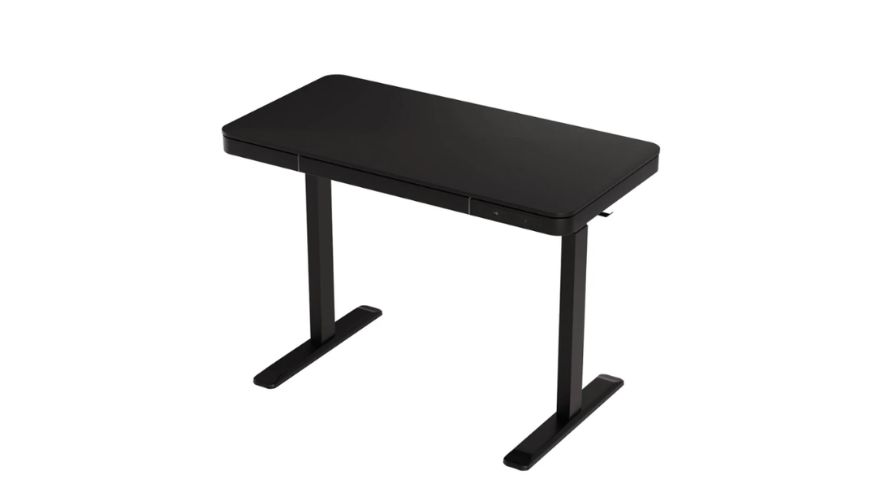
5. Artiss Premium Dual Motor Standing Desk
The Artiss Premium Dual Motor desk offers a more affordable entry point to standing desks while still providing decent stability and dual-motor functionality.
Pros
- Budget-friendly pricing
- Dual motor system
- Simple modern design
- Suitable for smaller rooms
- Good beginner option
Cons
- Lower long-term durability
- Less stable under heavier loads
- Limited premium features
Making a Standing Desk Part of Your Day
A standing desk works best when it becomes part of a balanced daily routine. Standing in one position for hours is rarely comfortable. Alternating between sitting and standing throughout the day usually creates a much better experience.
Footwear also matters, especially on harder office floors. Accessories like monitor arms and supportive floor mats can improve comfort further.
Good posture plays a major role as well. Small adjustments to screen height and arm positioning can make a noticeable difference over time. Comfort comes from both movement and proper setup.
What to Watch Out For
The desk itself is only part of the equation. Poor posture and repetitive habits can still create discomfort, even with an expensive standing desk. Small adjustments like repositioning the monitor or taking regular movement breaks can improve comfort significantly throughout the day.
Desk quality also matters over time. Weak frames eventually develop wobble and noise that become frustrating during daily use. A well-built desk with a stable frame and reliable motor is simply easier to use long-term. If you are looking for a durable office solution, it may be worth exploring what Liftdesk Standing Desk Manufacturer offers for modern workspaces.
FAQs
1. What Are the Usual Pitfalls?
Common standing desk mistakes include incorrect desk height, standing too long without movement, and using unstable desk frames. Poor monitor and keyboard placement can also contribute to neck, shoulder, and wrist discomfort over time.
2. How Much Time Should I Be Up?
Most people benefit from alternating between sitting and standing throughout the day instead of standing continuously. Changing position every 30 to 60 minutes is generally a comfortable approach.
3. Do Exercises Help?
Yes. Simple movements like calf raises and shoulder rolls help reduce stiffness and improve circulation during long work sessions.
4. What Keeps a Desk From Shaking?
Frame quality and motor strength play the biggest role. Heavy-duty steel frames with dual motor systems usually provide the best stability.
5. Is It Worth Paying More for a Premium Desk?
In many cases, yes. Better-built desks usually provide smoother adjustment, improved stability, and stronger long-term durability compared to cheaper alternatives.