

You can usually tell within the first month whether a standing desk frame was built for your setup or just built to look good in a product photo.
Add a second monitor, a laptop dock, maybe a small printer off to one side, and a single-motor frame starts to complain about it: the lift gets slower, the desktop leans a degree or two as it rises, and eventually you notice one side just isn’t keeping up with the other.
That’s the whole reason best dual motor standing desk frames exist. Two motors, one per leg, splitting the work instead of one motor dragging both sides along through a shared rod.
LiftDesk’s Sendi Standing Desk Frame B is one of the newer frames built around that idea, and it’s a good jumping-off point for comparing what’s actually out there right now.
Key Takeaways
- Two motors mean the desk stays level even when your gear is bunched on one side of it.
- L-shaped desks put most of their stress on the corner, and a lot of two-motor frames just aren’t built for that.
- The price gap between frames mostly comes down to lift capacity and how long the warranty actually covers the motor, not the steel.
- 3-stage legs get you more height without the wobble that usually comes with it.
- Anti-collision sensors seem like a nice-to-have until the frame is inches from a wall and nobody’s watching it.
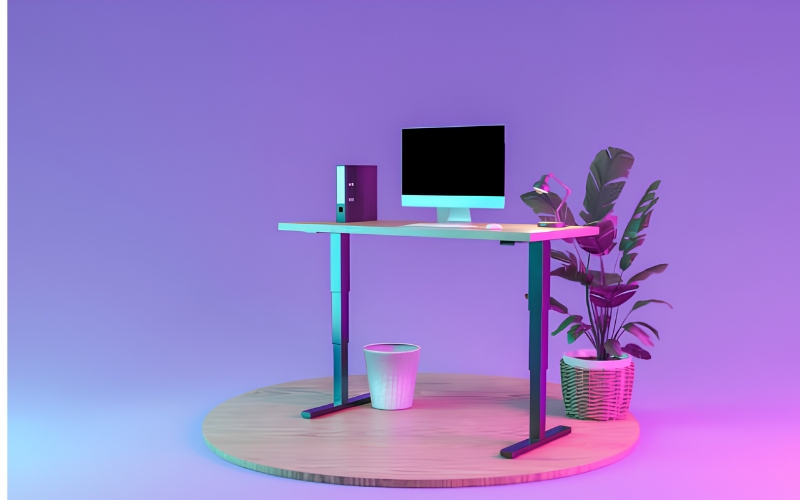
Main Types of Dual Motor Standing Desk Frames
Not every dual motor frame is built the same way. The right type depends on your desktop shape, your height range, and how much weight you plan to load on top.
Two-Leg Dual Motor Frames
This is the most common design you find. Each leg of the frame comes with a motor; the control box is connected to both legs and remains in sync with their operations. This frame works effectively with basic rectangular desks and is less expensive than others.
Three-Leg Dual Motor Frames (L-Shaped)
This design has an additional third leg, attached to L-shaped desks. This setup stresses the corner of the desk with the majority of weight.
Some office furniture manufacturers have upgraded their triple-leg motor systems. This eliminates the sway of a two-motor corner frame supporting heavy dual monitor loads.
3-Stage Leg Dual Motor Frames
A 3-stage design comes with three columns stacked on one another instead of two. This helps adjust the height of the setup more effectively.
Adjustable-Width Dual Motor Frames
Telescoping crossbars are found in some designs. In this adjustable standing desk frame setup, you can alter the height and width of the frame to adjust with the desktop. This is more suitable than a fixed-width base.
Heavy Duty Dual Motor Frames
These use thicker steel columns and reinforced crossbars. A heavy-duty standing desk frame is built for buyers planning to load the desk with multiple monitors, a printer, or other permanent gear. They usually carry the highest weight limits and the longest warranties in the category.
Top Dual Motor Standing Desk Frame Picks
Find the best fit for yourself from the top list of dual-motor standing desk frames:
1. LiftDesk Sendi Standing Desk Frame B: Best for L-Shaped and Corner Setups
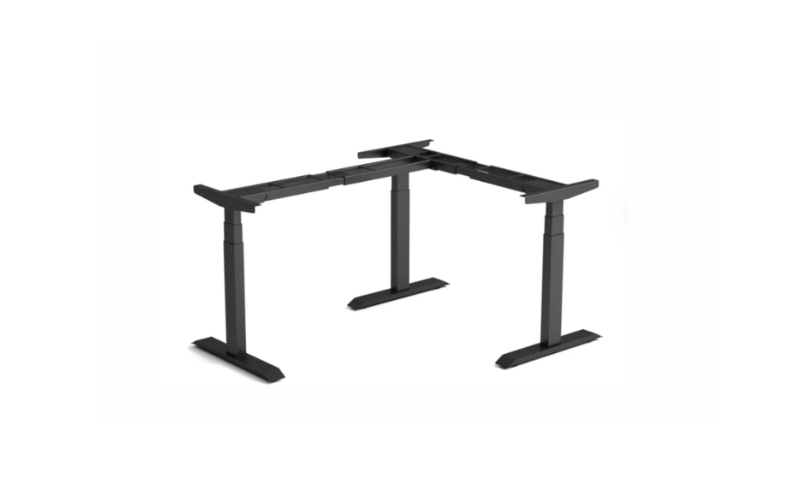
Most corner desks are an afterthought. The frame underneath was designed for a straight rectangle, then bolted onto an L-shape and hoped for the best.
The Sendi Standing Desk Frame B skips that shortcut. LiftDesk built it around a synced triple-motor system from the start, aimed squarely at the wobble that shows up once a corner desk carries two monitors instead of one.
Best for: Home offices and corner workstations running a full dual-monitor setup
Price: Factory-direct through LiftDesk
Key Features:
- Triple-motor lift system engineered for L-shaped desktops
- 1500N lift capacity
- Height range of 595–1245mm (630–1280mm with the desktop installed)
- 4 programmable memory presets
- Adjustable anti-collision detection
- Foldable cable box and cable snake included
Frame highlight: The steel crossbeam under the desktop is rare. It resists tilt at full standing height, even with two monitors loaded on one side. This kind of stability is difficult to find on a standard two-motor corner frame.
Bottom line: LiftDesk Sendi Standing Desk Frame B is the most stable frame on this list, and provides the greatest support for L-shaped, multi-monitor setups.
2. Autonomous Desk DIY: Best for Flexible DIY Builds
Not everyone wants a bundled desk. Some people already own a desktop, or want to build one from scratch, and just need a base that will cooperate.
The Autonomous Desk DIY frame is built for exactly that. It comes in two configurations: a 2-Stage frame that spans 40 to 59 inches with dual motors and 250 lbs of capacity, meant for a standard rectangular desktop, and an L-Shape frame that spans 42 to 71 inches with a triple motor system and 400 lbs of capacity for corner or multi-monitor builds.
Best for: Buyers who want to pair a frame with their own custom desktop.
Price: Frame-only builds start around $349.
Key Features:
- Choice of 2-Stage or L-Shape triple-motor configuration
- 250–400 lbs capacity depending on version
- 10-year warranty on the frame
- Anti-collision detection with tool-included assembly
Frame highlight: The L-Shape version steps up to a triple motor on its own. Both narrow and wide desktops can find a good match. This is not always the case with fixed-size frames.
Bottom line: For the flexibility, the Autonomous Desk DIY delivers more than you would expect. It is a solid entry point into custom standing desk builds.
3. FLEXISPOT E6: Best Value Dual Motor Frame
Somewhere between “cheap and shaky” and “expensive and overbuilt” sits the FlexiSpot E6, which has quietly become one of the more recommended budget picks in this category.
Its 3-stage lift stretches from 23.6 to 48.8 inches, which covers a wider range of user heights than most frames at this price.
Best for: Budget buyers who still want real dual motor performance.
Price: Roughly $270 to $470, depending on the desktop finish.
Key Features:
- 3-stage lift system, 23.6–48.8 inch height range
- Dual motors rated for 220 lbs, under 50 dB
- 4 programmable memory presets
- 5-year warranty on frame and motor
Frame highlight: The 3-stage lift stretches vertically further than most budget frames. Both shorter and taller users can find a comfortable height. This is not always the case with entry-level frames.
Bottom line: For the price, the FlexiSpot E6 delivers more than you would expect. It is a solid entry point into dual motor frame territory.
4. Monoprice Workstream: Best for Heavier Loads on a Budget
The Monoprice Workstream isn’t trying to be flashy. It’s a 3-stage frame built to carry more than the typical entry-level option, without pushing the price into premium territory.
That 3-stage design stretches the height range further than most 2-stage builds in the same price bracket.
Best for: Buyers who need extra lifting capacity without a premium budget.
Price: Mid-range, positioned below most premium brands.
Key Features:
- 3-stage lift for a wider range than 2-stage frames
- Dual motors rated to 220 lbs
- Touchscreen controller with programmable presets
- Compatible with desktops from 43 to 87 inches wide
Frame highlight: The wide desktop compatibility is rare at this price. It lets you pair the frame with almost any existing surface. This kind of flexibility is hard to find without paying more.
Bottom line: Monoprice Workstream is a practical pick on this list, and provides solid lifting power for the budget you’ll spend on it.
5. Uplift V2 Commercial: Best for Shorter Users
Height range gets treated as a single spec, but the bottom of that range matters just as much as the top, especially for shorter users who end up hunched over frames that never sit low enough.
The Uplift V2 Commercial offers minimum height, which is lower than that of the majority of models that have been covered. This height makes it the best option for shorter individuals.
Best for: Shorter users who find other frames sit too high, even fully lowered.
Price: Premium tier, backed by an extended warranty.
Key Features:
- Height range from 21.6 to 47.7 inches
- Frame expands from 41 to 79 inches wide
- 355 lb lifting capacity
- 15-year warranty, including electronics
Frame highlight: The 15-year warranty on electronics stays with you no matter how you use the frame. There is no gap in coverage between the steel and the motor. This is rare in a category where most brands stop covering electronics after a few years.
Bottom line: The Uplift V2 Commercial is the right pick if you want a low sitting height without any manual workaround.
Quick Comparison Table
| Frame | Best For | Price | Motor Type |
| LiftDesk Sendi Frame B | L-shaped, corner setups | Factory-direct | Triple motor |
| Autonomous Desk DIY | Flexible DIY builds | From $349 | Dual / triple (L-shape) |
| FlexiSpot E6 | Best value | $270–$470 | Dual motor |
| Monoprice Workstream | Heavier loads on a budget | Mid-range | Dual motor |
| Uplift V2 Commercial | Shorter users | Premium | Dual motor |
How to Choose the Best Dual Motor Standing Desk Frame
Match the frame to your desktop, your body, and your actual load. Here’s what to check before you order.
Weight Capacity vs. Your Real Setup
Look at the weight of all of the monitors on the desktop, the dock, and any other devices or items on the top of the desk.
You should then compare this number with the maximum lift capacity of the frame, or its weight when it is positioned. If you want to be on the safe side, it is better to stick to the lower figure in this case.
Range Of Height vs Your Height
Taller users need more reach at standing height. Shorter users need a lower minimum for sitting.
According to Mayo Clinic’s office ergonomics guide, your thighs should stay roughly parallel to the floor whether you’re sitting or standing, so check the exact numbers against your own height before you commit.
Protection against Collision
If a frame does not come with this element, it will be able to push into a wall or a shelf without stopping.
With this particular feature, a frame will stop and move backward when meeting something resistant. This is really important when one uses it in small spaces.
Two-Leg or Three-Leg Frame
Regular desks can go on a two-leg frame, while desks shaped like the letter L put pressure on the joint connecting the two parts of the frame.
Thus, one might choose frames with a third leg or a frame with three motors for this kind of desk design, which will be able to take the weight of the double monitor setup.
Cable Management
If you have a single monitor on your desktop, then there is little to no need to learn about cable management.
However, when you decide to use two monitors, a dock, and some accessories, the number of cables will become unprecedented and regular frames may not come with a tray or anything that could help manage cables, keeping your working space tidy.
Conclusion
Wobble and slow lifts shouldn’t be part of your workday. A good frame can make all the difference. The first thing to know is your desktop shape and how much weight you plan to load on it.
Next, select the frame that matches both. Every frame on this list is a genuine upgrade over a standard single-motor desk.
Here is our quick recommendation by need.
- Best for L-shaped and corner setups: Sendi Standing Desk Frame B (triple-motor)
- Best for flexible DIY builds: Autonomous Desk DIY
- Best value: FlexiSpot E6
- Best for heavier loads on a budget: Monoprice Workstream
- Best for shorter users: Uplift V2 Commercial
If you are looking for a practical corner or L-shaped setup, explore the Sendi Standing Desk Frame B from LiftDesk.
Its factory-engineered triple-motor system and built-in cable management are designed to suit desks of different sizes and workspace needs.
Upgrade your workspace with a frame built for daily support and better posture. Explore the full range from LiftDesk to find the right standing desk solution.
FAQs
What does dual motor mean on an electric standing desk frame?
Each leg has its own motor instead of one motor driving both legs at once. Otherwise, the desktop can tilt or strain under an uneven load.
Is a dual motor frame worth the extra cost over a single motor frame?
Yes, it is. Every setup carries a different load. Dual motors let each leg lift its own share evenly. A single motor does not give you that same balance.
Can a dual motor frame fix an unstable desk?
It can help a lot. A good frame prevents wobble and tilt from getting worse. It is most effective when paired with a solid crossbeam and proper assembly.
How long can the best dual motor standing desk frame last?
A good frame will last for 10 years or longer. There are some brands, like LiftDesk and Autonomous, that offer extended warranties for their frames. Uplift frames are also built for daily heavy use.
Does a triple motor frame offer better stability than a two-motor frame?
Most people prefer a triple motor for L-shaped desks. Does not wobble under a dual-monitor load and holds the corner steady. Two-motor frames can feel good at first, but strain under heavier corner setups.