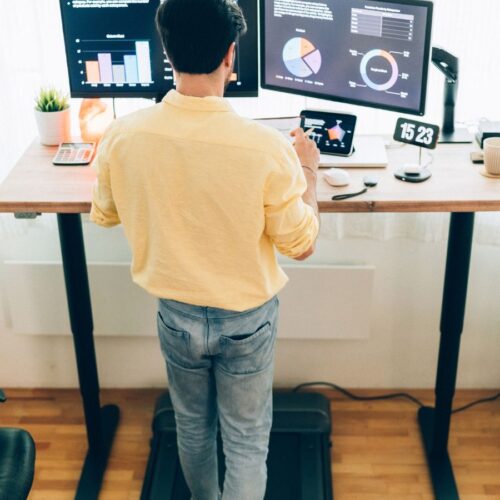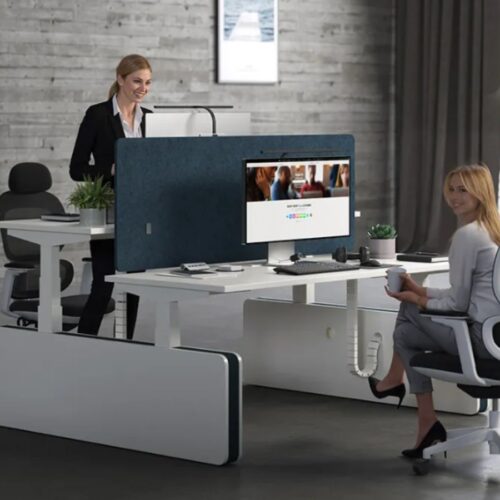
Standing desk ergonomics is all about using the standing desk in such a manner that it manages to make your body safe, strong, and comfortable. A standing desk is a work table that can be moved upwards or downwards based on whether you want to sit or stand while you work. Many people use a standing desk nowadays because they do not want to sit all day. Sitting for too long can cause your back to ache, your neck to stiffen up, and make your body tired. With the correct standing desk ergonomics, you can work in a healthier way.
Standing during the day more may help you feel more awake and active. Not only can it give you more room to move, stretch, and breathe. It may also make it easier to focus as your body is held in a better position. Good standing desk ergonomics can keep your shoulders relaxed, your screen at the proper height, and your hands in a safe area to type.
Liftdesk is a trusted brand that designs strong and easy-to-use standing desks. Their desks help you follow good standing desk ergonomics every day, in order for you to work better and feel better at the same time.
Table of Contents
- What Is Standing Desk Ergonomics?
- Why Good Ergonomics Matter
- How to Set Up a Standing Desk Correctly
- Best Sitting and Standing Posture Guide
- Top Ergonomic Tips for All-Day Comfort
- 10 Best Standing Desks
- Brand Comparison Table – Standing Desk Features
- Common Ergonomic Mistakes to Avoid
- FAQs
- Conclusion
What Is Standing Desk Ergonomics?
Standing desk ergonomics is the process of configuring your standing desk so that your body remains safe and is comfortable during work. Ergonomics is an easy concept to understand; it’s the way you have your desk, chair, screen, and body set up so that everything feels natural and easy. When you follow good standing desk ergonomics, you are not straining your back, neck, or arms.
Your body position is important because the way you stand or sit will alter how your muscles feel. If your body is held in the neutral position, it remains relaxed. Neutral posture means that your head is straight, your shoulders are softly resting, and your arms are bent in a comfortable position. Your screen should be at eye level, giving you no reason to look down or lean forward. Your hands should be close to your body so that your wrists do not twist or stretch excessively.
Many people commit simple mistakes when they use a standing desk. Some have desks that are too high or too low. Others let their shoulders lift up, which causes the tightness. Some are stiff but do not move at all. With good Standing desk ergonomics, you understand how to keep your body relaxed, position-changing tips, and work in a manner that feels good all day.
Dive Deeper: Best Standing Desks in Singapore.
Why Good Ergonomics Matter

1. Reduces Aches and Pain
Good standing desk ergonomics allows your body to be comfortable. When your desk and your screen are at the appropriate heights, you are less likely to experience neck, back, or shoulder pain. Your muscles are used in a gentle manner, rather than being stretched or strained.
2. Supports Long Work Hours
Many people work for extended periods of time each day. Good standing desk ergonomics, which include not tiring in place. When your body is in the right position, you are able to sit or stand longer without discomfort. This helps you to complete your tasks with more ease.
3. Better Focus and Energy
When your body feels good, your mind functions better as well. Standing in a relaxed position can help you stay awake and alert. And you have more energy to read, type, or think. With good standing desk ergonomics, your body does not expend energy on fighting bad posture.
4. Simple, Everyday Examples
If you have a screen that is too low, you may be bending your neck, and it hurts. If your desk is too high, your arms might get tired. But if everything is in place for you, you are moving freely, you are breathing better, and you feel better prepared to work.
How to Set Up a Standing Desk Correctly
1. Desk Height
Good standing desk ergonomics begin with the correct height of the desk. Your desk must be level with your elbows when you bend your arms at a 90-degree angle. This helps your shoulders to remain relaxed and keeps your wrists straight. If you use a desk that is too high, your arms will be raised and will become fatigued. If it is too low, you will bend over.
Dive deeper: What is the Standard Desk Height? A Practical Guide.
2. Screen Height
Your screen should say it right – at eye level. This keeps your neck straight and keeps you from looking down. If your screen is too low, you may lean forward, causing neck and back pain. Good standing desk ergonomics help you prevent a position of the head that makes you feel uncomfortable.
3. Arm and Wrist Position
Your arms should be close to your body, and your wrists should be straight when typing. Do not bend them up or down. This helps to protect your hands and make typing easier.
4. Foot Position
Your feet should be level on the floor, with the weight on your feet. You should avoid locking your knees. A small foot mat can help someone stand more softly and comfortably.
5. When to Sit and When to Stand
Standing all day is not the purpose. Good standing desk ergonomics consists of switching between sitting and standing. Stand when you need energy and to concentrate. Sit when your legs feel tired.
6. How Often to Switch
A simple rule is to change every 30 to 45 minutes. Changing positions means your body is in motion, and stiffness is prevented. Small stretches also help your muscles to stay relaxed.
Best Sitting and Standing Posture Guide
1. Correct Standing Posture
Standing ergonomics begins with you. Keep your head straight and eyes pointed straight forward. Your shoulders should not be moved up, but down. Keep your arms close to your body, and the wrists straight while typing. Feet are flat on the floor – weight evenly spread. Do not lock your knees. A soft mat may help you keep your legs comfortable. This posture helps your back to be strong and keeps the strain to a minimum.
2. Correct Sitting Posture
When you are sitting, your back should be supported against the chair. Keep your feet flat on the floor – your knees should be gently bent at a nice angle. Your desk and screen should always be at the same height as they are when you are standing, to keep your neck straight. When typing, keep your arms close to your sides, and make sure that you keep your wrists level. Good sitting posture works wonders with standing desk ergonomics to make sure that your body is safe throughout the day.
3. Mistakes to Avoid
Common mistakes are leaning forward, raising your shoulders, twisting your wrists, locking your knees, or sitting in one position too long. These habits may cause stiffness and soreness. With good standing desk ergonomics, you learn to adjust your body frequently, and every position has to be kept gentle and balanced.
Top Ergonomic Tips for All-Day Comfort
1. Use a Foot Mat
A soft foot mat is a good addition to good standing desk ergonomics. It helps your feet, takes pressure off your legs, and makes standing easier.
2. Keep Items Within Reach
Put your keyboard, mouse, water bottle, etc., close to you. This prevents you from stretching or twisting your body, which helps maintain your posture.
3. Keep Shoulders Relaxed
Your shoulders should always be at a natural rest. Do not pull them up against your ears. Relaxed shoulders help to avoid neck and upper back tightness.
4. Move Often
Small movements throughout the day keep your body loose. Shift your weight, take a few steps, or sit/stand. Good standing desk ergonomics are a reminder to get moving around the body, not to sit for too long.
5. Stretch Gently
Gentle stretching may soothe your muscles. A few light stretches for your neck, arms, and legs help you to be comfortable and ready to work.
10 Best Standing Desks
1. Liftdesk Standing Desk (Sendi-E Model)
The Liftdesk Sendi-E is designed for easy control of its height and good daily performance. Its steady frame lends itself to good standing desk ergonomics, and your workspace remains stable at every level. This desk allows for easy and comfortable sitting and sleeping.
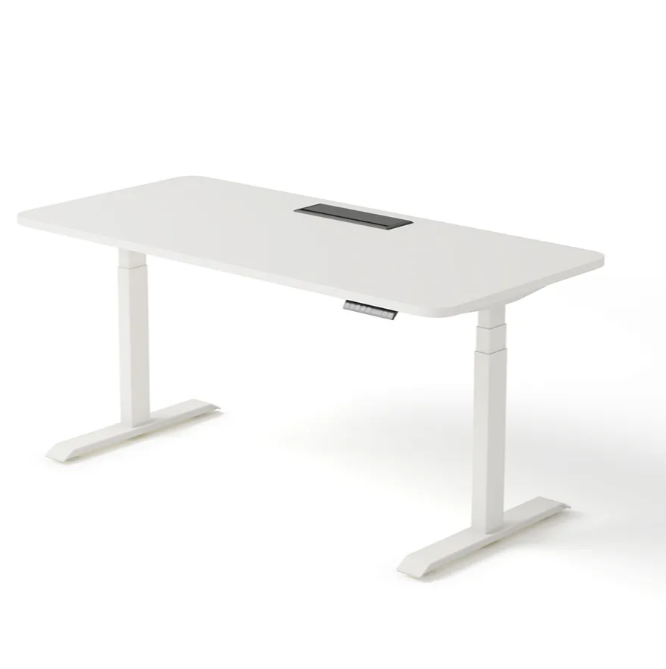
| Pros | Cons |
| Strong frame | Higher price |
| Quiet motor | Requires assembly |
| Wide workspace | Limited color options |
| Smooth height control | Heavier to move |
2. FlexiSpot Electric Standing Desk
The FlexiSpot desk has a smooth lifting capability and a clean and simple design. It fits well in small rooms and offers sufficient space to perform daily working tasks. It is a reliable choice for beginners for basic ergonomic needs.
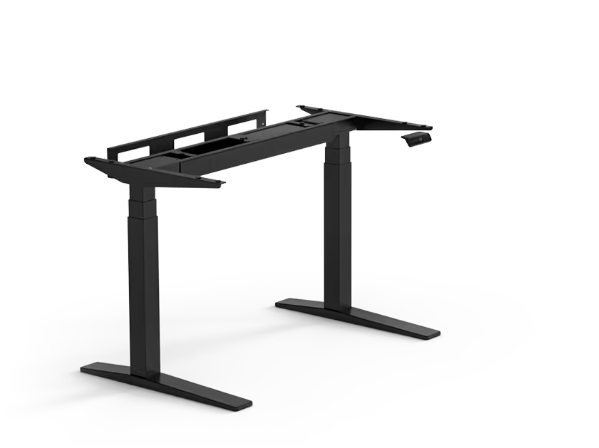
Image Source: FlexiSpot
Dive deeper: What’s the Best Standing Desk Frame? A Buying Guide.
| Pros | Cons |
| Easy setup | Basic design |
| Smooth lift | Smaller size |
| Good height range | Limited advanced features |
| Budget-friendly | Not as sturdy as premium desks |
3. Vari Electric Standing Desk
The Vari desk is known for its strength and stability, as well as being incredibly quick to assemble. Its large surface provides ample room for screens, notebooks, and accessories. This desk provides comfort in posture for long working hours.
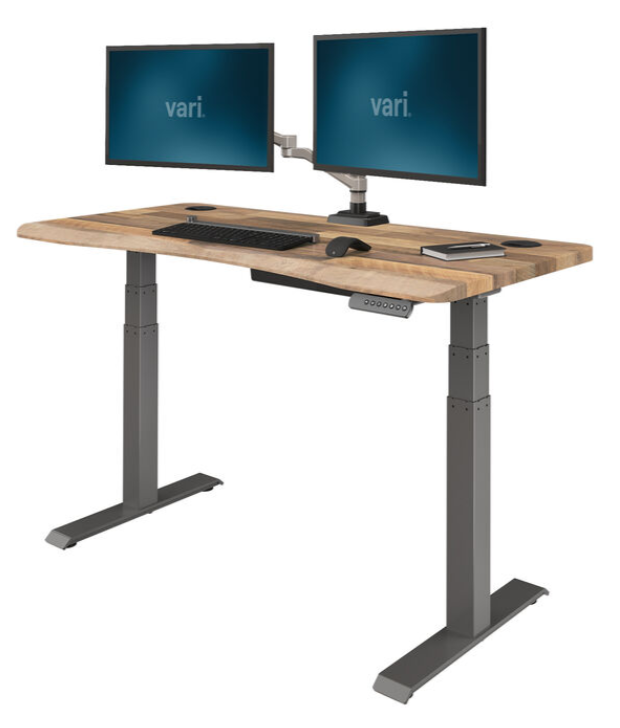
Image Source: Vari
| Pros | Cons |
| Fast assembly | Higher cost |
| Sturdy build | Fewer size options |
| Large surface | Heavy frame |
| Reliable motor | Simple cable ports |
4. Uplift V3 Standing Desk
The Uplift V3 has remarkable stability and height movement. Its many sizes and accessory options make it easy to create a custom workspace. This desk is strong enough for everyday heavy use.
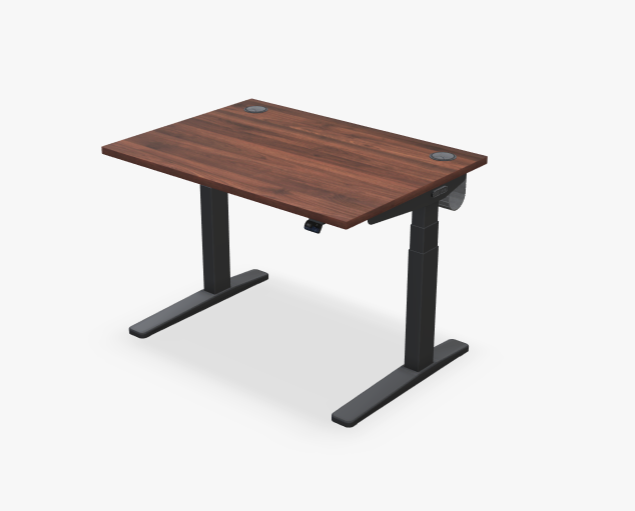
Image Source: UPLIFT DESK
| Pros | Cons |
| Very stable | Expensive |
| Many sizes | Longer setup time |
| Smooth lift | Heavy parts |
| Strong frame | Add-ons cost extra |
5. Autonomous Kowo
The Kowo is meant for true everyday comfort with easy controls and a clean and modern look. It supports simple ergonomic requirements and is suitable for relatively light to medium task loads. It is a good option for small home offices.
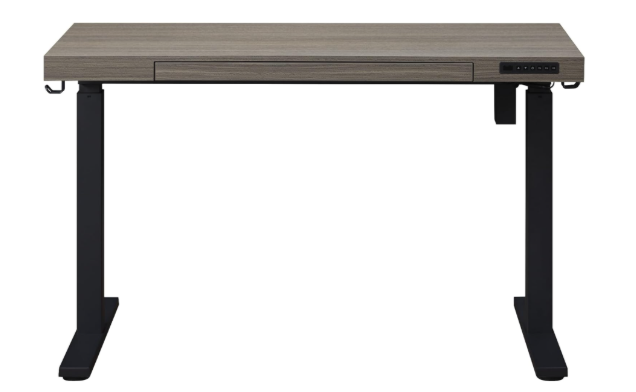
Image Source: Autonomous
| Pros | Cons |
| Good price | Basic motor |
| Simple controls | Less stable at tall heights |
| Modern look | Limited weight capacity |
| Quick setup | Fewer color choices |
Related: Best Budget Standing Desk
6. Jarvis Bamboo Standing Desk
Jarvis Bamboo is a combination of an eco-friendly material and strong performance. Its smooth top, broad range of heights, and stable frame make it ideal for sitting and standing for long hours. It has a warm, natural appearance with the bamboo finish.
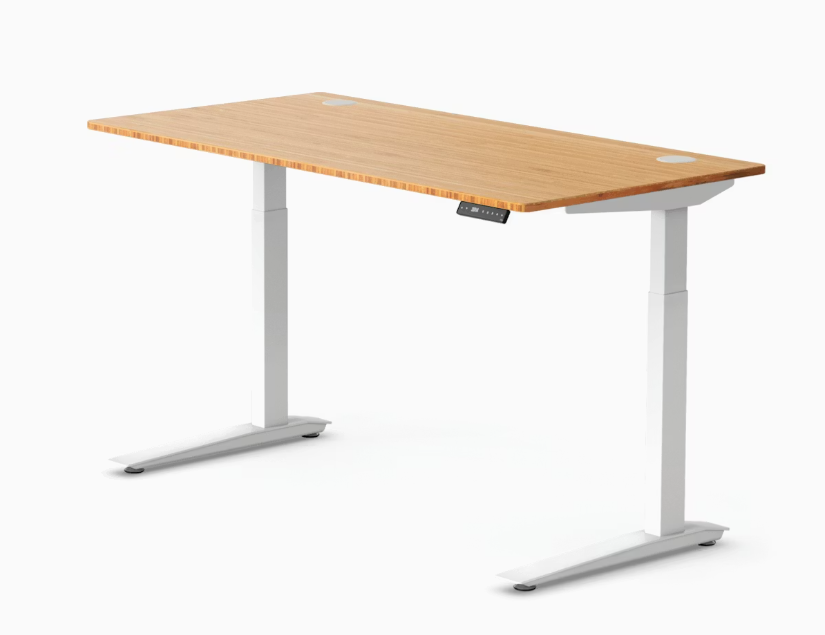
Image Source: Herman Miller
| Pros | Cons |
| Eco-friendly top | Can scratch |
| Strong build | Higher price |
| Good height range | Heavy |
| Attractive design | Long shipping times |
7. Fezibo Standing Desk
The Fezibo desk is a budget-friendly option with helpful storage shelves built in. It works well for smaller spaces and provides a simple, smooth lifting experience. This desk suits basic ergonomic setups.
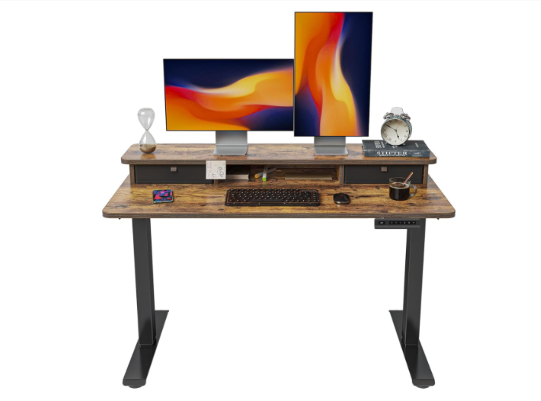
Image Source: FEZIBO
| Pros | Cons |
| Affordable | Not as sturdy |
| Extra storage | Narrow surface |
| Good height range | Louder motor |
| Easy to use | Limited warranty |
8. SHW Electric Standing Desk
SHW has a simple and compact electric desk with easy digital controls. It fits well in tight spaces and is perfect for beginners who want a clean and minimal setup. It supports light daily use.
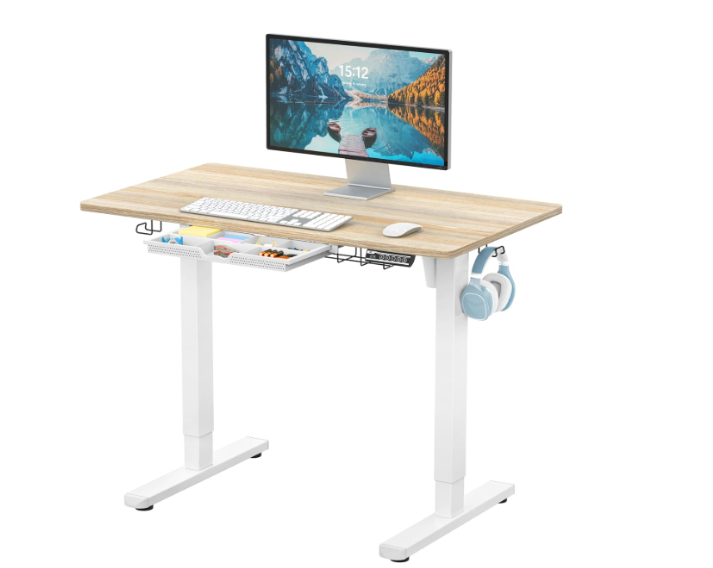
Image Source: Amazon
| Pros | Cons |
| Great price | Light frame |
| Simple controls | Smaller workspace |
| Easy assembly | Lower weight limit |
| Compact size | Basic motor |
9. Branch Standing Desk
The Branch desk comes with a modern design and a very stable design at all heights. It is designed for people who work at a computer all day long and keep their bodies in good posture all day. The desk is a clean and professional look in any working space.
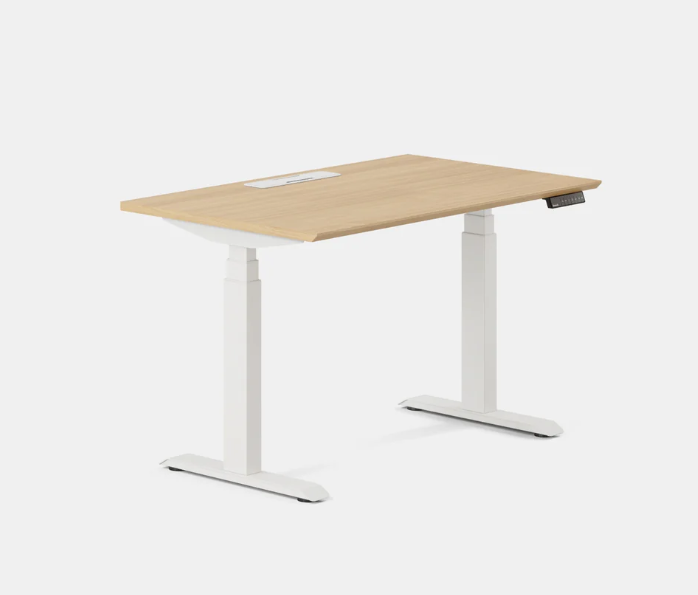
Image Source: Branch
| Pros | Cons |
| Stable frame | Mid-range price |
| Modern style | Fewer size options |
| Smooth lift | Limited colors |
| Easy setup | No advanced features |
10. IKEA Bekant Standing Desk
The IKEA Bekant is an easy and inexpensive desk with a quiet lifting system. It is quite easy to clean and useful in small offices or for light tasks. Its soft, rounded design makes it safe and comfortable to use.
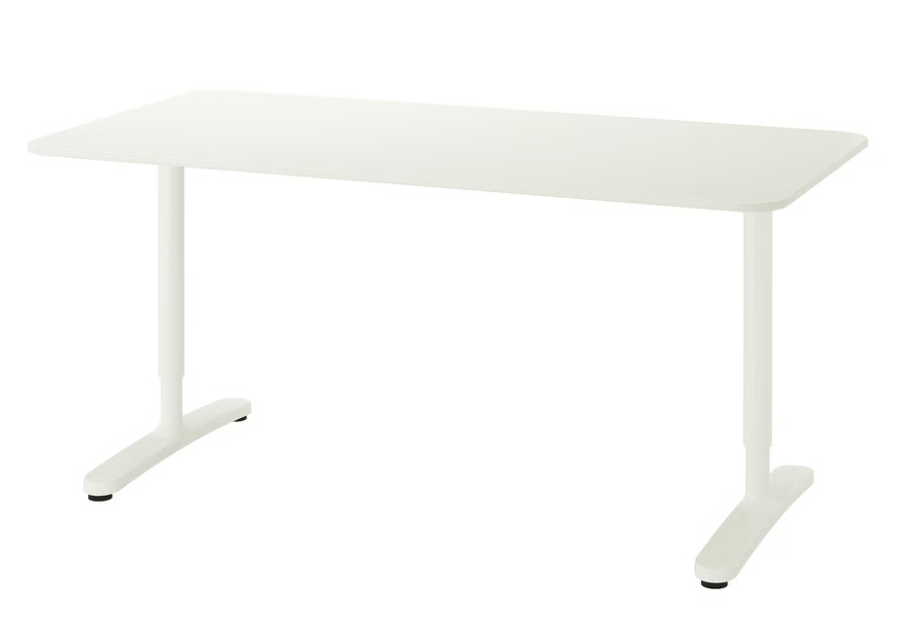
Image Source: IKEA
| Pros | Cons |
| Good price | Not very sturdy |
| Quiet lift | Basic design |
| Easy to clean | Limited height range |
| Simple look | Shorter warranty |
Brand Comparison Table – Standing Desk Features
| Desk Name | Stability | Height Range | Ease of Use | Best For |
| Lifedesk Standing Desk | Excellent | Wide | Smooth & Quiet | Daily use & comfort |
| FlexiSpot Electric Desk | Good | Good | Easy & Simple | Small spaces & beginners |
| Vari Electric Desk | Very Good | Wide | Easy | Long work hours |
| Uplift V3 Standing Desk | Excellent | Very Wide | Smooth | Heavy use & customization |
| Autonomous SmartDesk Core | Good | Good | Simple | Budget & home office |
| Jarvis Bamboo Desk | Very Good | Wide | Smooth | Style & eco friendly |
| Fezibo Standing Desk | Good | Good | Smooth | Budget with storage |
| SHW Electric Standing Desk | Fair | Good | Simple | Small rooms & low cost |
| Branch Standing Desk | Very Good | Good | Smooth | Modern office setup |
| IKEA Bekant Standing Desk | Fair | Moderate | Quiet | Simple use & small spaces |
Common Ergonomic Mistakes to Avoid
1. Desk Too High
A desk set too high lifts the shoulders up and makes the arms hurt/strain. This can eventually cause pain in the neck and upper back.
2. Screen Too Low
A low screen causes you to bend your neck forward. This forces the ergonomics of a good standing desk to fragment and can cause eye soreness and eye tiredness.
3. Locking Knees
Standing with locked knees causes your legs to become stiff and slows the flow of blood. Keeping a soft bend keeps your body relaxed.
4. Standing Too Long
Standing all day is never good for health. Long-standing without breaks can cause back pain and tired legs, even with a good desk.
5. Not Moving Often
Too long a period of sitting still is a common mistake. Switching positions, stretching, and sitting if necessary, keep your body balanced and comfortable.
FAQs
A standing desk helps you to both sit less and move more, and follow standing desk ergonomics to protect your back and neck.
Your desk should be at the height of your elbows, so your arms are relaxed, your shoulders are resting, and your wrists are straight when you are typing.
That means standing for short periods of time, 30 minutes at a time, and switching with sitting to ensure that your body is comfortable and active.
Yes. Switching positions often prevents stiffness, improves blood flow, and supports health.
Conclusion
Standing desks even help you keep active during the day and help you avoid those long hours of sitting. Good standing desk ergonomics have a protective effect on your body because your posture is kept safe and natural. Liftdesk offers robust and comfortable desks that promote comfort as well as movement. With the right setup and small habits that take only a few minutes a day, you can be working better, feeling better, and helping your body to be healthy. Better posture begins with simple adjustments to make now that you can make now.
Liftdesk is a professional standing desk manufacturer, offering expert buying guides, workplace design, and ergonomic tips to help you create a healthier, more productive workspace.