

The rise of hybrid work and remote schedules has created new demands for home office desks. People are looking for a workspace that is not only comfortable but also encourages movement and fits neatly into a corner.
The CDC has highlighted the health benefits of reducing prolonged sitting, yet one does not have to spend a fortune to get a good standing desk.
We put together this guide on LiftDesk to show how to find a corner standing desk under $250 without compromising on quality or day-to-day performance.
Key Takeaways
- You can still get a corner standing desk with solid stability and electric height adjustment for under $250.
- Prioritize a sturdy frame and adequate desktop size rather than superfluous features.
- An L-shape gives you more room to work without taking up extra floor space.
- Make sure to weigh the warranty and long-term value before committing to a purchase.
Why the Corner Standing Desk Is Gaining Popularity
Making Better Use of Room Corners
An L-shaped layout turns what would otherwise be dead space into a functional area.
It leaves the middle of the room open while making efficient use of the walls, which is ideal for an apartment or a home office where square footage is at a premium.
Room for Dual Monitors and More
Professionals tend to have a laptop, notebooks, and two monitors out at any given time. A corner desk offers distinct zones for these items, so nothing feels cramped.
One side can be set aside for computer work while the other is free for writing or creative tasks.
A Cleaner Setup
An L-shaped desk has a naturally organized layout that straight desks do not. With the added surface area, there is less temptation to let cables and office supplies pile up.
This kind of organization cuts down on distractions and makes it easier to concentrate on whatever task is at hand, be it study or running a home business.
What to Expect on a $250 Budget
It is entirely possible to find a reliable model if you are discerning about what you need. You will not have all the bells and whistles of a high-end piece, but an affordable desk can perform very well.
Standard Features
At this price point, you should expect an electric motor for smooth, quiet transitions between sitting and standing.
Memory presets are useful as well, particularly when the desk is shared.
As for the desktop itself, a well-made engineered wood will stand up to daily wear and tear just fine. Look for something that handles cable management well to keep things tidy.
Premium Upgrades
Dual motors and solid hardwood are common features of the pricier desks, along with anti-collision tech and thicker steel.
While they are nice, they are not a necessity. A desk with a dependable lifting system and a stable frame is a better value than one loaded with features you will seldom use.
Selecting the Right Model
Price is only part of the equation. The desk has to support your gear and remain stable over the years.
Desktop Dimensions
Measure first. An L-shaped unit must fit the corner comfortably and give you enough room for a keyboard, documents, and your monitors.
Weight Capacity
Calculate the total weight of your speakers, PC, and monitors. A robust lifting system will handle the load while reducing strain on the motor.
Height and Posture
You want a range of adjustment that allows you to sit or stand with your elbows at roughly 90 degrees and the screen at eye level.
Stability and Noise
Typing on a wobbling desk is no fun. Go for reinforced steel that feels solid. And in a shared office or on a call, a quiet motor is preferable.
Assembly
The setup should not turn into a frustrating project. Check reviews to see if the instructions are clear and the hardware is properly labeled.
Warranty
See what is covered on the electronics and frame. A responsive manufacturer and a good warranty give you peace of mind for the life of the product.
Best Corner Standing Desk Under $250
These days, you do not have to accept flimsy construction or a lack of features to stay within this budget.
Today’s market is full of affordable standing desk models with electric height adjustment, memory functions, and roomy L-shaped surfaces.
We have put together a list of ten that represent the best value for a home office, remote work, or a small business. Do keep in mind that what you pay can be subject to retailer discounts and promotions.
1. Sendi E L-Shaped Standing Desk (Editor’s Choice)
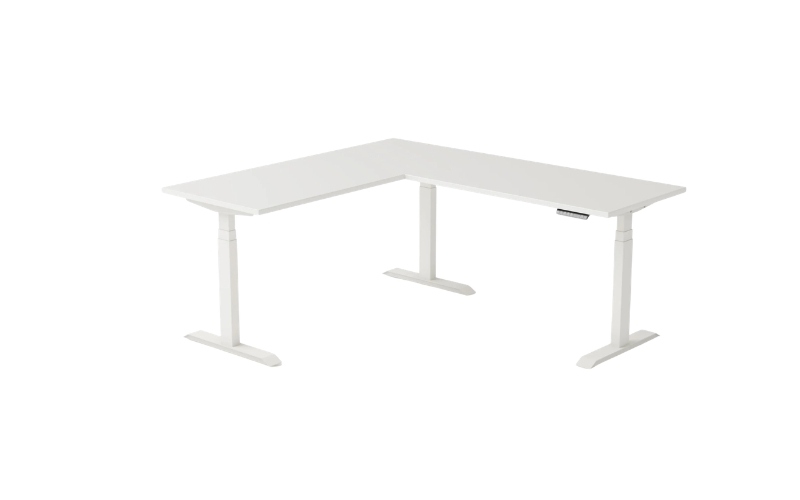
An all-around pick for both professional and home settings, the Sendi E has a modern look and a steel frame that holds up well throughout a day. You get a large workspace and an electric lift that is as smooth as it is stable.
- Pros: Spacious desktop, strong frame, good value, smooth electric lift.
- Cons: Not many finish options or premium upgrades are available.
2. VIVO E3 Series Corner Electric Desk
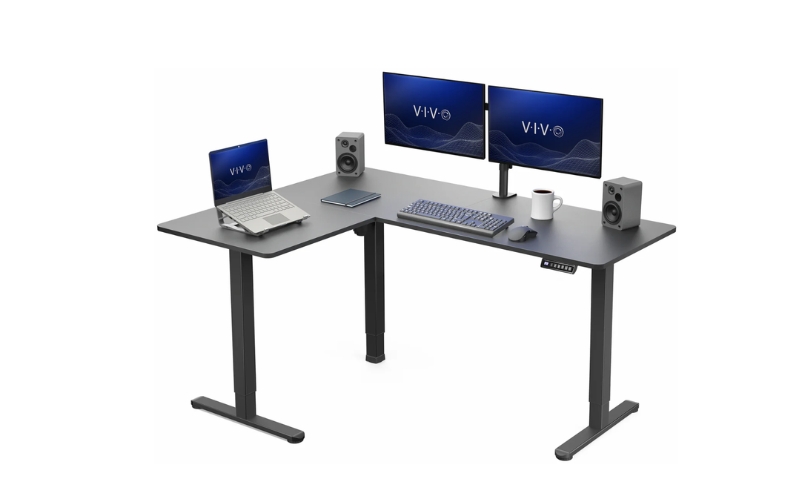
For those on a budget who still require room for two monitors, VIVO’s E3 is an excellent choice. The frame is solid, and the lifting performance is reliable.
- Pros: Large area to work in, quiet motor, stable build, user-friendly controls.
- Cons: Color choices are few; it is at the upper end of the price range.
3. FEZIBO L-Shaped Standing Desk
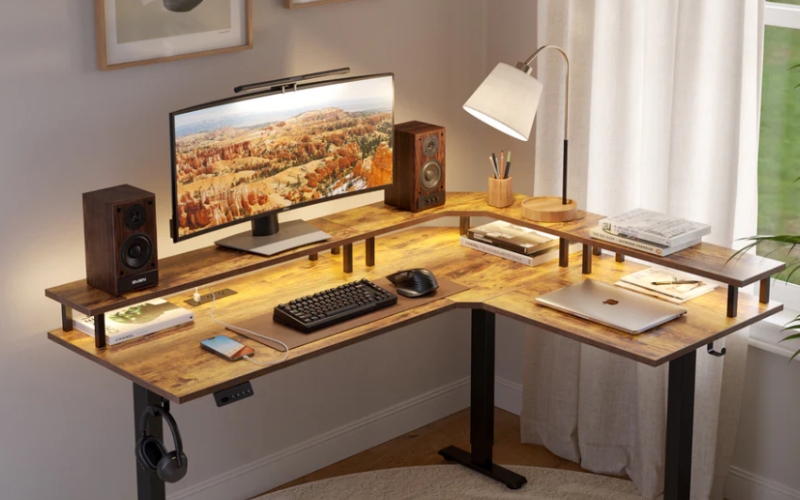
FEZIBO is a favorite for its no-nonsense design and easy assembly. It’s well-suited for an everyday home workstation with ease.
- Pros: Priced right, comes with memory presets, and ample workspace.
- Cons: Weight capacity is only moderate, and one may notice a wobble when fully extended.
4. Klicelor L-Shaped Standing Desk
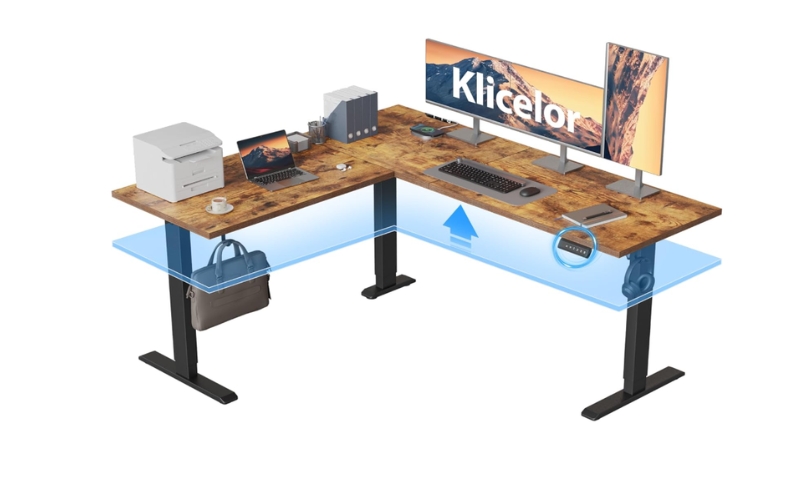
With its corner configuration and unobtrusive electric height adjustment, the Klicelor is a roomy standing desk that does not come with a high price tag.
The steel frame is built to be sturdy for day-to-day use, and the contemporary look is at home in a study, home office, or small business.
- Pros: Ample L-shaped desktop, stable steel construction, smooth electric adjustment, hard to beat on value.
- Cons: Not many finishes to choose from, the control panel is rather basic.
5. Huuger L-Shaped Standing Desk
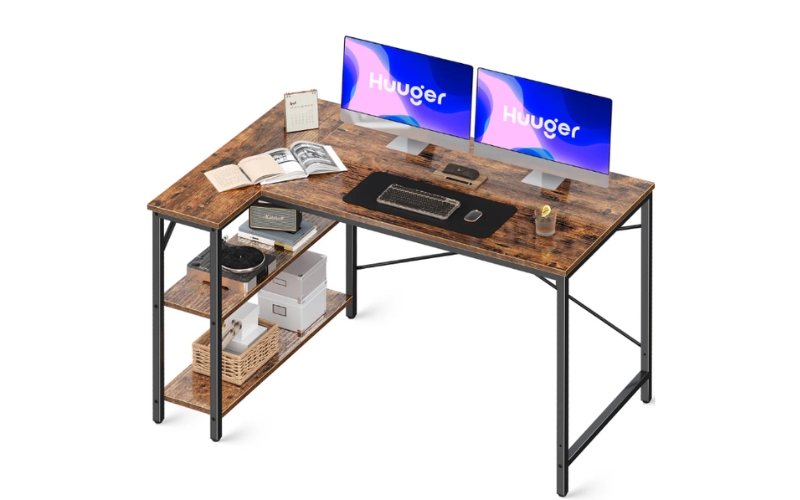
Some Huuger models come with built-in storage, which adds to the convenience of the L-shaped layout for multitasking.
- Pros: Functional and spacious with a stable frame.
- Cons: Assembly takes longer, and you will find that the desktop finishes are limited.
6. ErGear L-Shaped Standing Desk
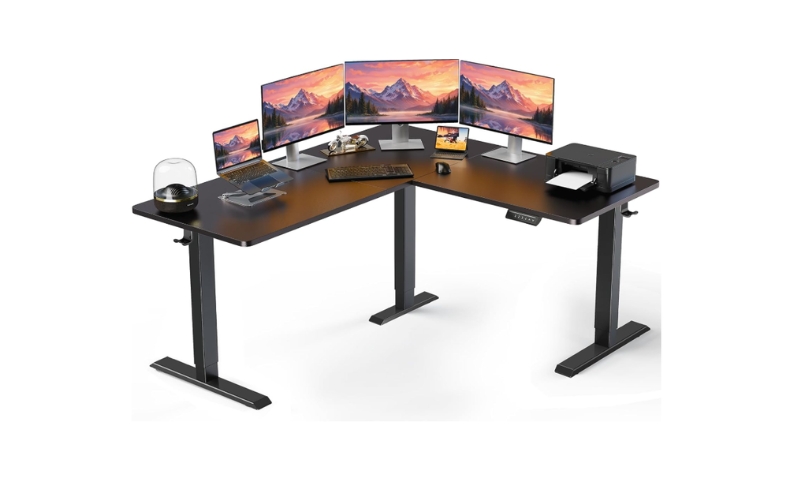
ErGear makes for a solid desk with a proven lifting system. The frame’s sturdiness is sufficient for dual monitors and regular everyday work.
- Pros: Durable, very stable, quiet, and smooth.
- Cons: The controller is basic, and accessories are not included.
7. AODK L-Shaped Electric Standing Desk
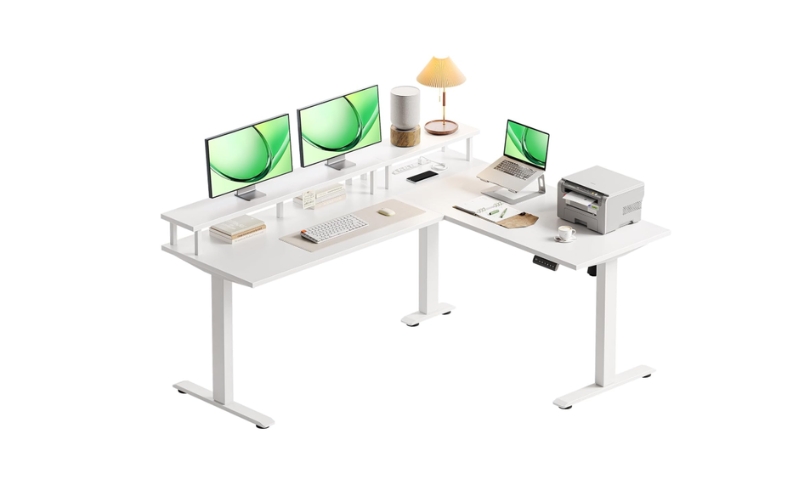
AODK model is a practical option with shelves and storage on many of their units, making for a smart way to stay organized.
- Pros: Affordable, plenty of room to work, and functional storage.
- Cons: Heavier to put together, and the lift is nothing special.
8. Marsail L-Shaped Standing Desk
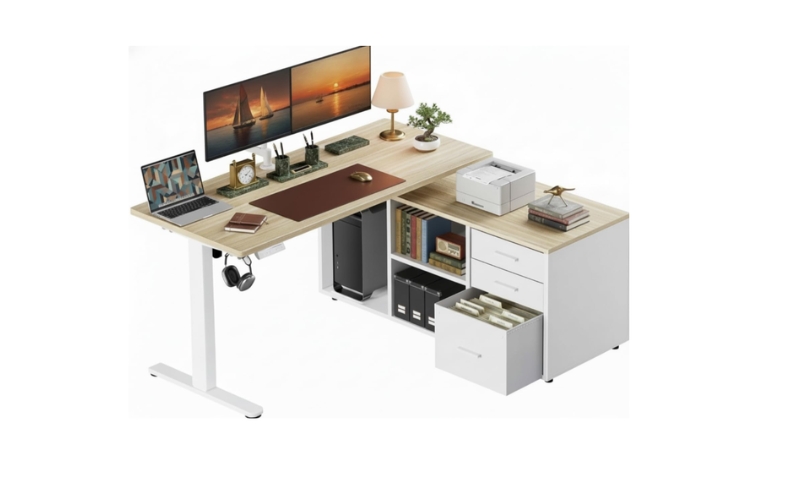
Professionals in need of an affordable electric desk will find the Marsail to be a reliable performer. The steel frame is sturdy, and the controls are straightforward.
- Pros: Modern look, quiet, and stable.
- Cons: The feature set is rather basic, and desktop sizes are restricted.
9. SHW 55-Inch Electric L-Shaped Standing Desk
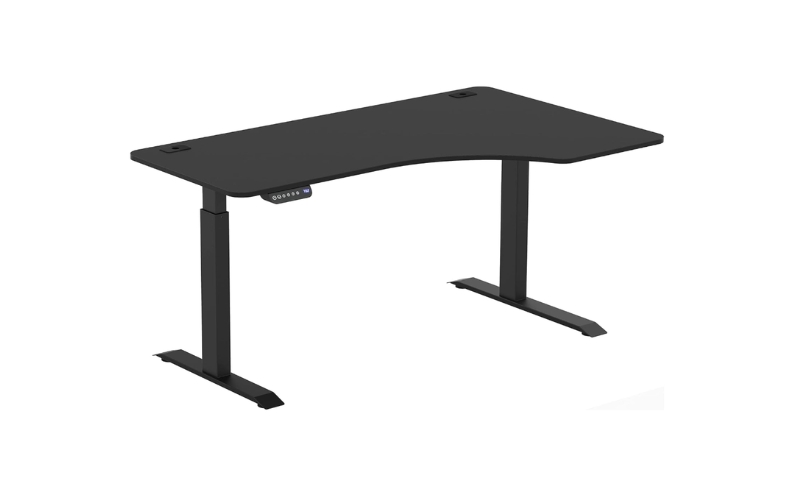
This corner workstation from SHW is designed to be unobtrusive while giving you space for your paperwork and monitors.
- Pros: Easy to set up, compact, and priced affordably.
- Cons: You will not get the same square footage as some of the bigger desks, and the weight capacity is lower.
10. VEVOR L-Shaped Electric Standing Desk
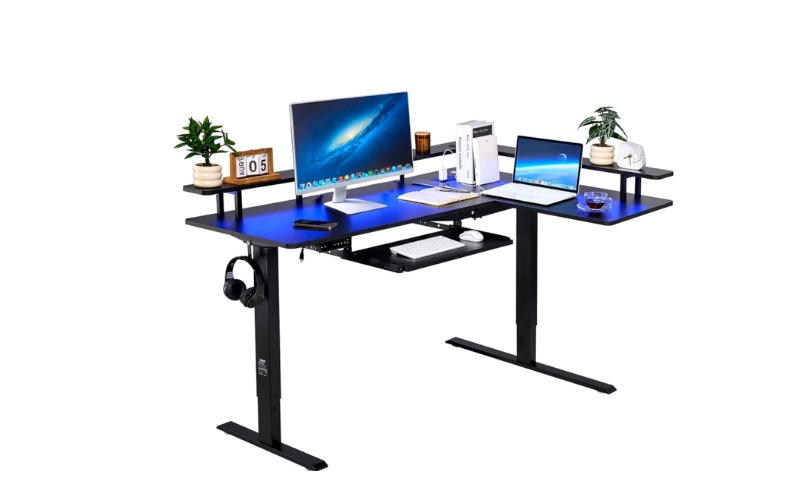
This is a spacious and smooth electric height-adjustable desk with a sturdy carbon steel frame.
It includes practical features like memory presets and cable management, making this model a dependable choice for home offices, gaming setups, and everyday professional use.
- Pros: Spacious L-shaped desktop, smooth and quiet electric adjustment, sturdy steel frame, excellent value for the price.
- Cons: Assembly takes some time, limited desktop finish options.
Which Of These Under $250 Suits Your Style?
It would be a mistake to assume every corner standing desk in this price bracket is made for the same purpose.
Take some time to consider your daily routine before looking at the specs; a desk that aligns with your habits will do more for your productivity than the cheapest one on the shelf.
Remote workers and students
If your day is filled with online meetings and emails, you want a desk that can accommodate a laptop and an extra screen without crowding the room. A compact L-shape is fine for an apartment or dorm.
Gamers, creators, and business owners
Those with multiple monitors, cameras, or drawing tablets will require a larger footprint.
A small business owner might be better off with a frame that can stand up to long hours and keep equipment like printers at hand. There is no point in paying for features you won’t make use of.
What the reviews don’t always say
Most comparisons will tell you the price but miss the things that matter in day-to-day use.
Stability is key. A desk should not be shaky at its highest setting, particularly with heavy gear on it. While a single motor is sufficient for many, a dual-motor setup tends to be smoother and handle more weight.
Also, consider the material of the desktop for longevity and check the warranty. And don’t forget to set aside some money for a monitor arm or cable tray; it is a worthwhile upgrade.
When Spending More Than $250 Actually Makes Sense
For the majority of home office users, a corner standing desk under $250 range is perfectly adequate.
There are, however, circumstances that warrant a higher price tag. Take someone with three monitors, a sizeable desktop PC, or pro audio/video gear; a top-tier frame with dual motors will offer greater stability and lifting capacity.
The same holds true for commercial settings where the desks see constant use and require components built to handle the strain.
Then there are the professionals who sit at their desks for 10 hours or more daily and might want the quieter operation, sturdier materials, and extended warranty of an upgraded model.
A solid-wood premium desktop has its merits in terms of durability and aesthetics as well. But for all others, one need not overspend; a well-made budget option will provide dependable service and good value over time.
Conclusion
Ultimately, the goal is to balance performance, durability, and workspace. Compare the frame and the warranty coverage to make a sound investment. For a dependable L-shaped desk for home or business, we would point you toward the Sendi E.
FAQs
Is a corner standing desk better than a regular standing desk?
A corner standing desk provides more usable workspace and helps maximize room corners, making it ideal for dual-monitor setups and multitasking.
Can I fit two or three monitors on an L-shaped standing desk?
Yes. Most L-shaped standing desks comfortably support two monitors, while larger models can accommodate three displays with proper weight distribution.
How much weight can budget standing desks usually support?
Most electric standing desks under $250 support between 150 and 220 pounds, depending on the frame and lifting system.
Are electric standing desks reliable under $250?
Yes. Many budget-friendly models offer dependable electric height adjustment and sturdy construction for everyday home office use, provided you choose a reputable brand.
How much room do I need for a corner standing desk?
Most L-shaped standing desks fit comfortably in medium-sized rooms, but measure both wall lengths and allow enough space to move around the desk before purchasing.