

You’ll find standing desks in home offices, corporate lobbies, and remote workspaces these days.
It’s no surprise: with more of us trying to put in fewer hours in a chair, the adjustable desk has come into its own as a no-nonsense way to be a bit healthier.
The growing interest in standing desks isn’t just a workplace trend. Research by the American Society of Interior Designers (ASID) found that adjustable workstations were associated with improved productivity, greater concentration, and better health outcomes among office workers.
So if you’re on the fence between a hand crank vs electric standing desk model, you’re in the right place.
It’s a common dilemma for anyone who wants to get the most out of their money without sacrificing convenience.
They do the same job, letting you stand or sit as you please, but the way they go about it is where you’ll see a divide.
We’ve put together a guide to walk you through the ins and outs of both, from the price tag to how they hold up over time.
The aim of Liftdesk is to help you figure out which one makes sense for your space, your wallet, and the way you like to work.
Hand Crank vs Electric: What Are You Up Against?
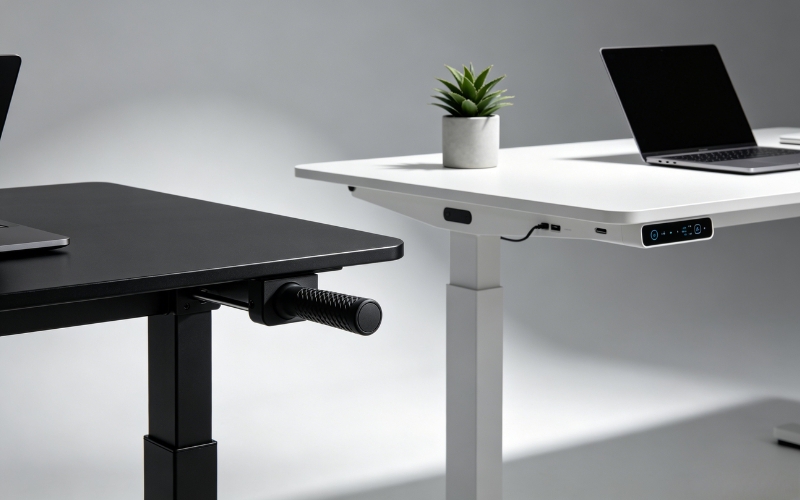
The main difference comes down to the adjustment mechanism. One is all manual; the other is powered.
There isn’t a one-size-fits-all winner here. It really comes down to how you use your desk and what you can put toward it.
What Is a Hand Crank Desk?
A hand crank desk takes a more traditional approach. You get a mechanical system you work with by means of a handle.
No motors, no cabling, and you don’t have to be within arm’s reach of a power point.
For a lot of folks, that is exactly what they are after: a bit of furniture that is trouble-free. You will have to put in some elbow grease, but you’re paying less for it, and you can count on it.
What Is an Electric Desk?
The columns here are motorized to do the work for you. Push a button and up or down it goes.
Many of the ones you’ll see these days come with USB for your phone, can be set to your preferred heights, and will even back off if they hit an obstacle.
It’s for the person who doesn’t want to be bothered with the mechanics of it.
A Side-by-Side Comparison of Hand Crank vs Electric
| Feature | Hand Crank | Electric |
| How it moves | Manual | Motor |
| Speed | Slower | Quick |
| Price | More in line with your budget | A steeper tab |
| Uphold | Virtually none | A bit |
| Power | Not needed | Yes |
| Convenience | Good | Unbeatable |
Put simply, the hand crank is for a no-fuss setup; the electric is for when you want it done right now.
Practical Differences Between Hand Crank vs Electric Desks
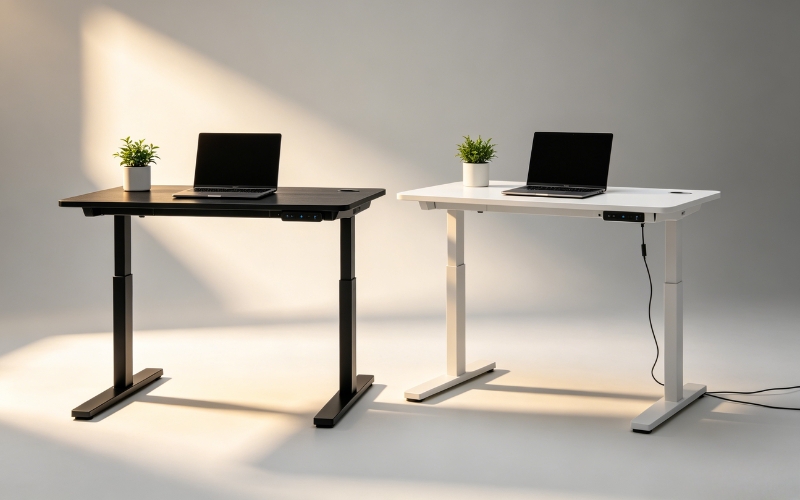
Ease of Use
You can’t fault an electric desk. A key press and you’re set. Some will even recall how you like to sit. With a manual, you have to make the turns.
If you’re repositioning often, you feel it. But if you only ever adjust it at the start of the day, it’s not an issue.
Pace
When you’re in the zone, every second counts. An electric one has you on your feet in 10-20 seconds. A hand crank is more like a minute.
You may not care the first time, but over time you might find yourself just leaving the desk where it is rather than going through with it.
Making It Fit
Have a coworker? An electric with memory is a lifesaver. You can have your place and swap in a moment. The hand crank will get you there, but you have to be a little more involved to be sure it’s spot on.
Noise
A manual is as quiet as gears and metal can be, which is good for a shared room or a quiet office. Electric standing desks do have a motor, so you’ll hear a hum, but modern ones are for the most part unobtrusive.
Carrying the Load
It comes down to what you can put on top of it. If you’ve got a dual-screen, a PC, some speakers and the like, an electric is built to handle it.
A hand crank is fine for standard office stuff, but its ceiling is lower. For a serious rig, the electric option is sturdier.
Cost: Is the Hand Crank Model Really Worth It?
Price is what makes or breaks the deal for a lot of people. You can get a manual desk for less, but you should think about the value over time, not just what you pay at the register.
Upfront Cost
Upfront, a hand crank is hard to beat on price. The entry-level ones don’t have the cost of motors or control panels.
Here’s a rough guide:
- Under $300: You’re looking at mostly manual or very basic electrics.
- $300–$700: Mid-tier electrics with some heft and better features.
- $700 and up: The premium end with top-shelf frames and controls.
If you want the benefits of an adjustable desk without the expense, a manual one will do the job.
Long-Term Ownership Costs
Then there’s the matter of running costs. An electric desk sips power, so you won’t see it on your bill. But after a few years of hard use, a motor or keypad can give out.
A manual desk has no such worries; fewer parts means you’re not likely to be shelling out for repairs.
Of course, a good electric desk will hold up, while a cheaply made manual one might still have its share of mechanical gremlins.
Value for Different Budgets
So where does the value lie?
Under $300, the hand crank is your best bet. In the $300 to $700 range, the convenience of an electric model starts to make sense.
And for those who can afford it, the extra features like memory presets and a smoother ride are worth the premium.
Durability: What Will Stand the Test of Time?
This is where opinions differ. Both types can be long-lived, but for different reasons.
Moving Parts and Failure Points
With a manual desk, you’ve got gears and a crank. No electronics to fail. An electric desk has all that plus wiring and a control box.
They make life easier, but if something goes wrong, it’s a bigger fix. That being said, you can count on a modern electric desk from a name-brand to be dependable.
Maintenance Requirements
Maintenance is pretty much the same for either:
- Give the columns and frame a once-over for dust.
- Make sure your bolts are tight.
- Check for any wear and tear.
- Do as the maker says.
You might have to lube up a manual desk here and there. With an electric, you just have to be careful with spills.
Reliability Over Time
Some people will tell you a manual desk is built to last because it’s simple. There’s merit to that. But in the end, it comes down to how well it was made.
A solid electric desk will serve you for years. Don’t let the type of desk be the only thing you consider; look at the warranty and who’s behind it.
Do Both Desks Offer the Same Health Benefits?
Health-wise, there’s not much to choose between them. Whether you turn a handle or hit a button, you’re getting up and moving, which is what helps with posture and keeps you from being in one spot too long.
Why Adjustment Frequency Matters
But there’s a case to be made for how often you’ll make that change. With an electric desk, it’s as easy as a button, so you’re more apt to switch back and forth.
A manual desk takes a bit of work to crank up, and you might not be in the mood to do it every hour. That little bit of friction can make a difference in your routine.
Productivity Considerations
And for your workflow, the electric desk is less of an interruption. It’s quick and seamless.
In an open-plan setting where you might be sharing a desk, being able to save your settings and move in a snap is a nice touch for anyone putting in a long day at the office.
Who Should Choose a Hand Crank Standing Desk?
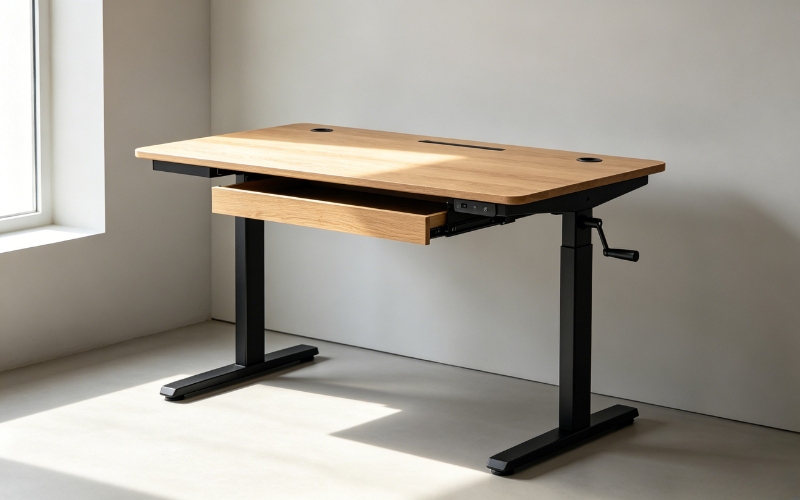
There’s no one-size-fits-all when it comes to standing desks. A hand crank model isn’t for everyone, but for a lot of people, it’s just the ticket.
Best for Budget Buyers
If you’re watching your wallet, a hand crank desk is hard to beat. You get the same height flexibility as an electric version without the markup.
Best for Light Workstations
It’s also a good match for a no-frills setup: a laptop, one monitor, and the usual office paraphernalia. For most day-to-day work or some study time, it does the job.
Best for Occasional Height Adjustments
Then there are those who don’t make a habit of switching from a chair to a standing position more than once or twice in a while.
In that case, you won’t be missing out on motorized controls enough to warrant the extra expense.
Best for Power-Free Environments
If you’re in a spot with limited power, or you like to keep things simple, a desk that doesn’t need to be plugged in is a nice solution.
You’ll find a hand-crank desk makes sense for:
- Home offices
- Students
- Those with a minimalist style
- Anyone on a budget
- The occasional stander
Who Should Choose an Electric Standing Desk?

On the other side of the coin, an electric standing desk is all about convenience. If you’re a pro who wants to make a change with the push of a button, this is where you want to be.
Best for Daily Users
For the daily user, a motorized desk is a timesaver. You can put in a few hours sitting, then stand up for a bit with very little effort.
Best for Multiple Monitors
They also handle the heft of a multi-monitor rig better, with higher weight limits.
Best for Shared Workspaces
In a shared space, memory presets mean you and your co-worker can have your own settings at the ready.
Best for Productivity-Focused Professionals
It’s a feature set that appeals to:
- Designers
- Developers
- Remote workers
- Corporate office employees
Put in eight or more hours a day at a desk, and the comfort of an electric model will usually be worth the steeper price of admission.
Hand Crank vs Electric: The Breakdown
To see how they stack up, here’s what you’re looking at:
| Feature | Hand Crank | Electric |
| Cost | More affordable | You pay for it |
| Speed | Takes a moment | Quick |
| Convenience | Fair | Top notch |
| Power | None needed | Yes |
| Noise | You won’t hear it | Some motor hum |
| Upkeep | Very little | Some |
| Weight limit | Decent | Can take more |
| Extras | N/A | Presets, etc. |
Hand Crank Pros
- You save money
- There’s no cord to deal with
- Fewer parts to break
- Quiet and straightforward
Hand Crank Cons
- You have to put in the work to adjust it
- Frequent adjustments can become a chore
Electric Pros
- Fast adjustments
- Memory functions
- Better overall user experience
- Great for frequent position changes
Electric Cons
- Costs more to buy
- Relies on motors and electronics
- Repairs can be more expensive
So, Which Should You Get?
It really comes down to your habits and your budget.
Go With a Hand Crank If:
- Price is the main thing
- You don’t fiddle with the height much
- You like the idea of a mechanical, no-nonsense design
- Your gear is light
- You don’t want to think about maintenance
Choose an Electric Desk If:
- You’re up and down several times a day
- You have a heavy, dual-screen setup
- You have to share the desk
- You want it to be as easy as possible
- You want the best overall experience
In the end, neither is a clear winner. A hand crank is great value. An electric is superior in function. For the professional in the trenches for long hours, we’d say the electric is the wiser move.
But if you want something that’s simple and won’t break the bank, a well-made hand crank is still a fine option.
If you’re looking for a more efficient and ergonomic setup, you can explore LiftDesk Supplier’s electric workspace solutions.
They focus on Standing Desk Frames, Standing Desks, L-shaped Standing Desks, and Height Adjustable Workstations—giving you flexible options to build a setup that matches your workflow, space, and long-term comfort needs.
Also see:
Frequently Asked Questions about Hand Crank Vs Electric Desk
Is a Hand Crank Better?
Not by default. It’s better if you want to spend less and keep it simple. An electric desk is for the person who values ease of use.
How Long Do the Motors on an Electric Desk Last?
A good one will be with you for years. It depends on the brand and how hard you put it through its paces, but premium models are built for thousands of cycles.
Are Manual Desks More Durable?
In a way, yes. There’s less to go wrong. But at the end of the day, how it’s made matters more than how you raise it.
Do Electric Desks Guzzle Electricity?
Don’t worry about it. The motor is only on for a few seconds when you make an adjustment. The cost is next to nothing.
What About for Two Monitors?
We’d point you to an electric desk. They have the capacity and smooth operation needed to handle the load.
Is a Hand Crank Any Good for a Home Office?
Yes. If you’re on a budget and don’t need to stand every 20 minutes, it gives you the adjustable-desk experience without the motor.