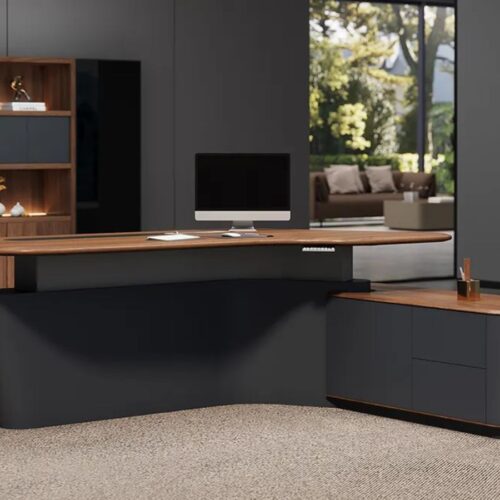
Ever switched to a standing desk expecting instant productivity, only to realize your workspace has turned into a clutter zone?
The posture feels better, your energy improves, and the workday suddenly becomes more active. Yet the desk surface often tells a different story. Cables twist together, sticky notes pile up, and important documents compete for space. Standing may improve how you work, but it does not automatically organize where everything goes.
This is exactly where a standing desk with drawers makes a difference. It combines the health benefits of a height-adjustable setup with practical storage that keeps essentials within reach.
In fact, a 2024 survey of coworking operators found that more than 58 percent of workplace managers ranked ergonomic furniture, including standing desks, as their top wellness priority.
Looking forward to some designs that professionals are picking to build smarter workspaces?
Let’s explore some of the best options available today.
What to Look For Before You Buy Standing Desks With Drawers
Specs alone do not always reveal how a desk performs in daily use. Focus on practical features that actually improve comfort and workspace order.
1. Storage That Moves With the Desk
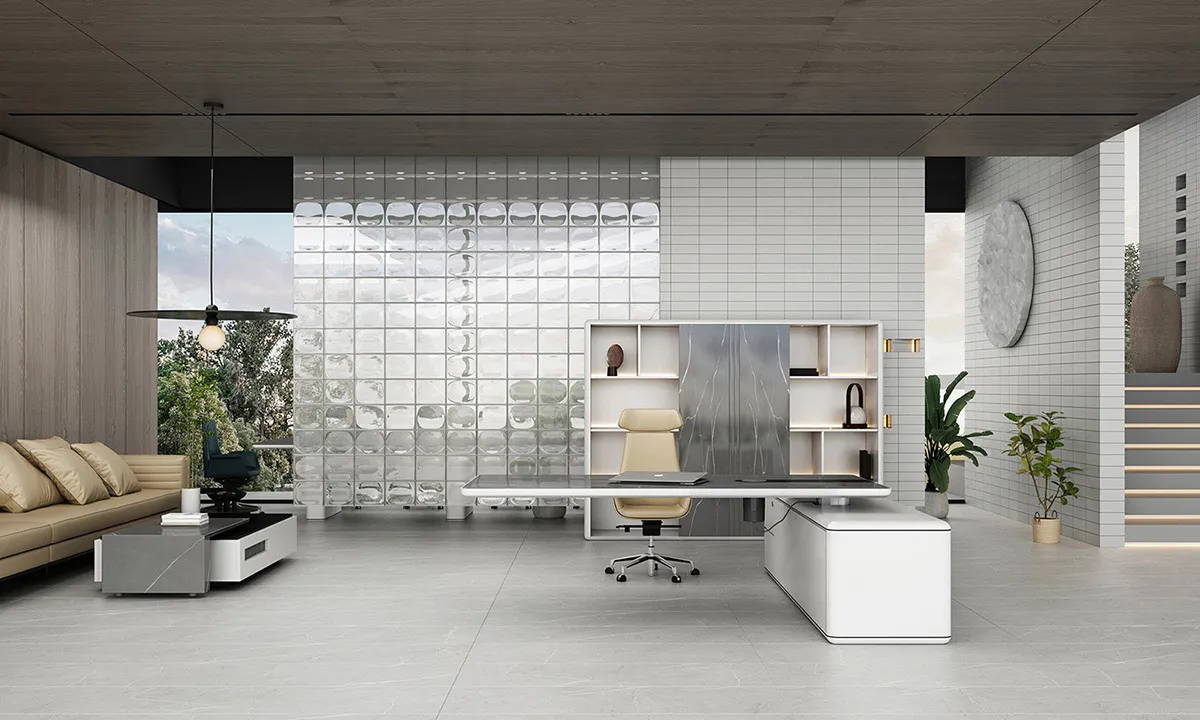
Check whether drawers or cabinets move with the desk surface during height adjustment. Under-desk drawers and frame-integrated side cabinets remain accessible at any height. Avoid standalone floor pedestals because they become hard to use when standing.
2. Height Range and Motor Quality
An ergonomic office desk should accommodate a wide range of heights to support both sitting and standing positions. Dual-motor systems are smoother and quieter than single-motor designs, especially when storage or multiple monitors are added.
Also see: Standing Desk Height: How to Find the Perfect Ergonomic Height
3. Build Quality and Weight Capacity
Drawers add extra weight to the setup. Always consider the combined load of monitors, accessories, and storage items. Steel frames with three-stage legs usually provide better stability at full height.
4. Cable Management
A modern standing desk with drawers should include cable routing channels, grommets, or under-desk trays. A good cable organization keeps the workspace clean and professional-looking.
The Bottom Line: If you’re spending money on a quality adjustable standing desk, matching it with proper storage isn’t optional; it’s part of the full setup.
The 8 Best Standing Desks With Drawers in 2025: An Ultimate List
Starting with the standout pick from Liftdesk, followed by seven strong alternatives worth considering.
1. Liftdesk Sendi E L-Shaped Executive Standing Desk — Best Overall
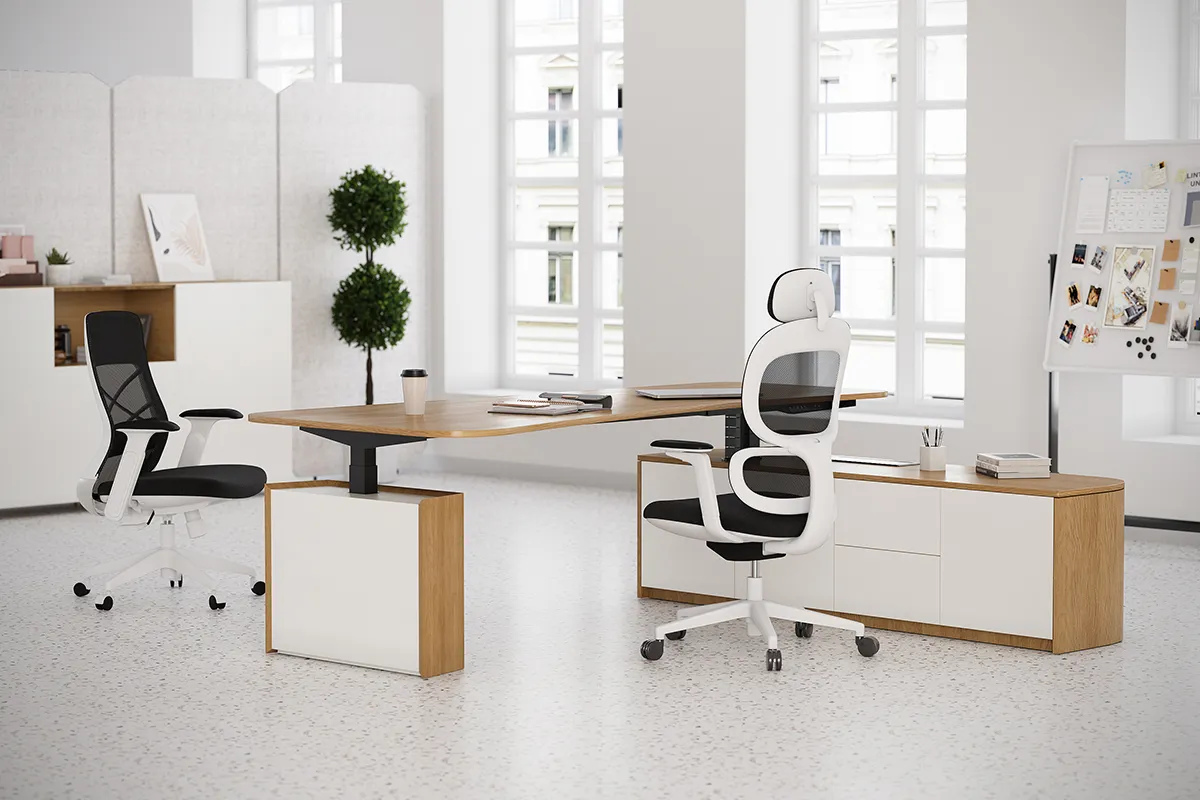
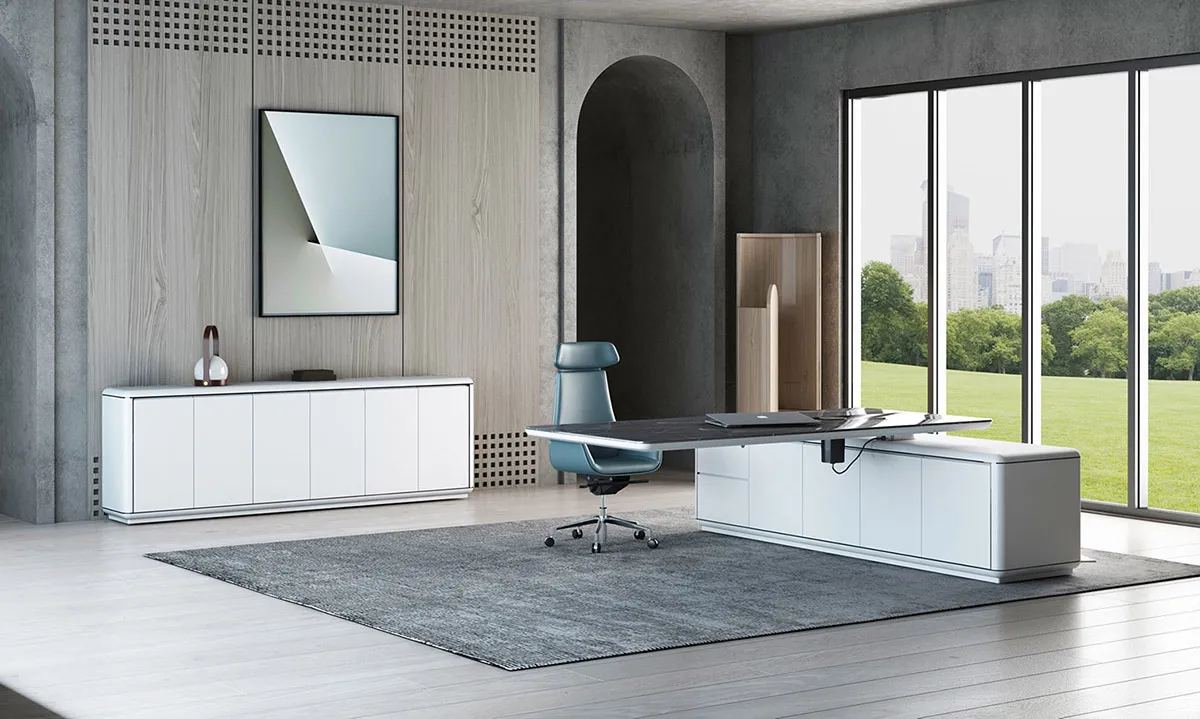
If you want the complete package—large work surface, built-in storage, and executive-grade build quality—the Sendi E L-Shaped Executive Standing Desk from Liftdesk is the one to look at first.
The L-shaped layout gives you two surfaces to work across, and the attached side cabinet provides concealed storage for files, personal items, and office supplies, all within arm’s reach, whether you’re sitting or standing. A triple-motor system drives the height adjustment from 630 mm to 1280 mm, handling the combined weight of the frame, cabinet, and a full executive setup without flinching.
The keypad includes four programmable memory presets and a built-in USB port for charging devices. The anti-collision system is adjustable in sensitivity, and the E1-grade panels and professional cable organizers keep everything looking clean. Available in matte and wood tone finishes across three size options.
- Motor: Triple-motor, 3-stage
- Height: 630–1280 mm
- Storage: Integrated side cabinet with concealed compartments
- Sizes: 1800 x 1800mm, 2000 x 1800mm, 2200 x 1800mm
- Extras: 4 memory presets, USB port, anti-collision protection, E1-grade panels, cable management
Best for: Executives, managers, and anyone who handles physical documents and needs a complete all-in-one command centre.
You can explore the full Liftdesk product range to find the right configuration for your space.
2. FlexiSpot Comhar Pro Q8 — Best for Built-In Wireless Charging
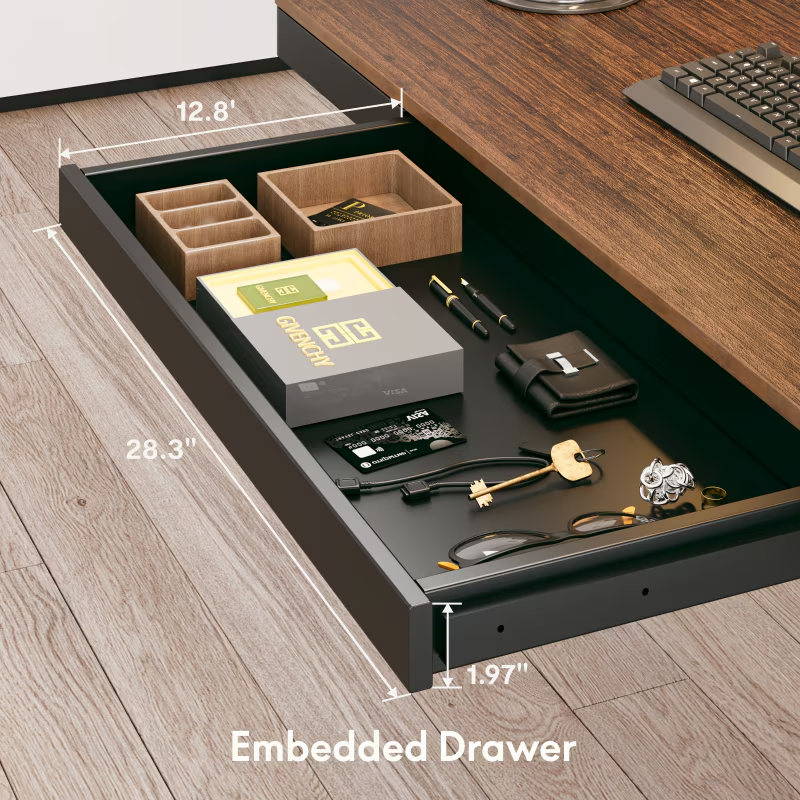
The FlexiSpot Q8 is FlexiSpot’s flagship all-in-one desk, and it earns that title. The bamboo desktop hides a wireless charging pad on the right side, a built-in embedded drawer across the front (28.3” wide, 12.8” deep), USB-A and USB-C ports integrated into the control panel, and an under-desk cable management tray—all included in the base package.
The dual-motor, 3-stage system covers 24” to 49.2” and holds up to 220 lbs. The drawer is shallow, at around 5 cm, suitable for stationery, tablets, and notebooks, but not for thick files. Worth noting: the thick metal frame running under the desk can prevent some monitor arm clamps from attaching, so check compatibility if you’re using a clamp-style arm.
- Motor: Dual-motor, 3-stage
- Height: 24”–49.2” (61–125 cm)
- Storage: Built-in embedded drawer, cable management tray
- Extras: Qi wireless charging, USB-A + USB-C ports, 4 memory presets, anti-collision, bamboo top
- Price: ~$800
Best for: Home office users who want an all-inclusive setup without buying add-ons separately.
3. UPLIFT V3 Standing Desk — Best for Customisation
The UPLIFT V3 is the desk that reviewers keep coming back to as the gold standard for customisation. It won Wirecutter’s top pick for several years running, and the V3 builds on the V2 with a stronger redesigned frame, TremorGuard front-to-back stability technology, and a new FlexMount Cable Manager that’s widely praised as one of the best built-in cable systems available.
Storage is handled via add-on accessories rather than built-in drawers — Uplift’s own bamboo drawer can be attached to either side of the desktop, though it doesn’t include sliding rails (wood-on-wood contact). The real draw is the sheer range of options: 30+ desktop materials, multiple frame colours, and a large ecosystem of accessories.
- Motor: Dual-motor, 3-stage
- Height: 22.6”–48.7” (57–124 cm), BIFMA-compliant
- Storage: Add-on bamboo drawer (extra cost), multiple under-desk shelf options
- Extras: TremorGuard stability, FlexMount cable manager, 15-year warranty, 30+ desktop options
- Price: From ~$699
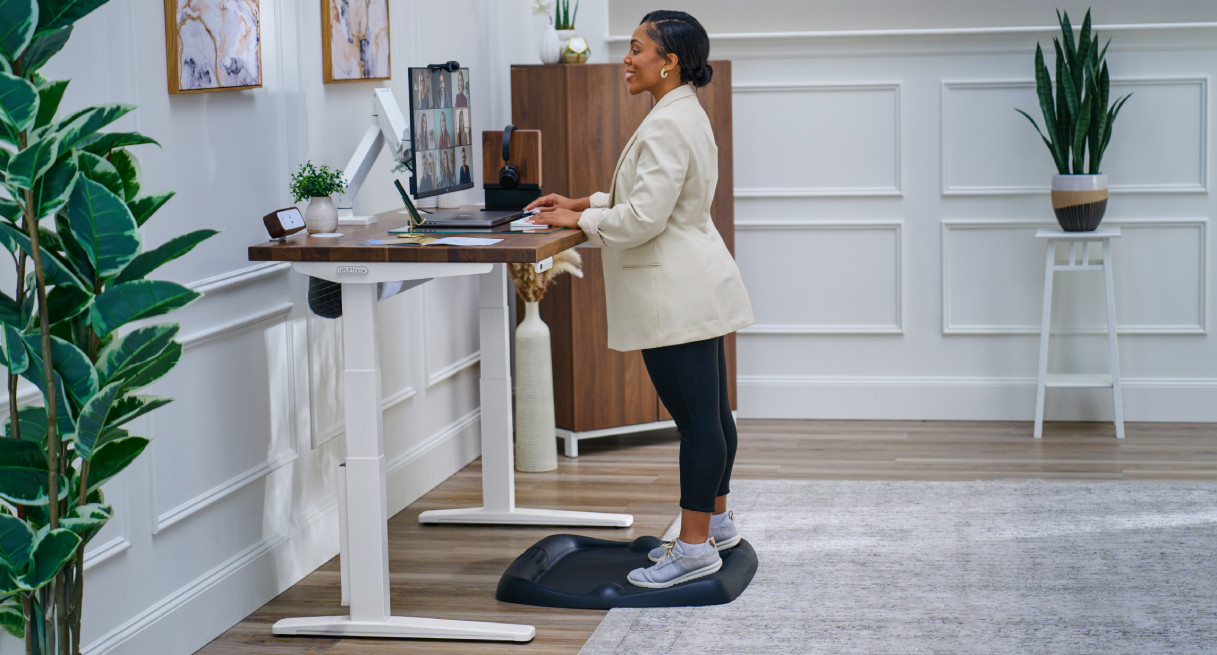
Best for: People who want a fully customised desk built around their exact setup.
4. Branch Duo Standing Desk — Best for Clean Aesthetics
The Branch Duo takes the ‘less is more’ approach to standing desk design, and it works. It’s one of the few desks in the mid-range category with a built-in drawer included as standard, not an optional add-on. The drawer sits neatly under the desktop and travels with it as the desktop height changes.
The dual-motor system adjusts from 25.2” to 50.8” quietly and smoothly. Cable management is solid, and the frame is available in white, black, and walnut, all with a clean, minimalist finish that photographs well and reads as intentional rather than corporate.
- Motor: Dual-motor
- Height: 25.2”–50.8” (64–129 cm)
- Storage: Built-in integrated drawer
- Extras: Cable management, minimalist design, multiple finishes
- Price: ~$849
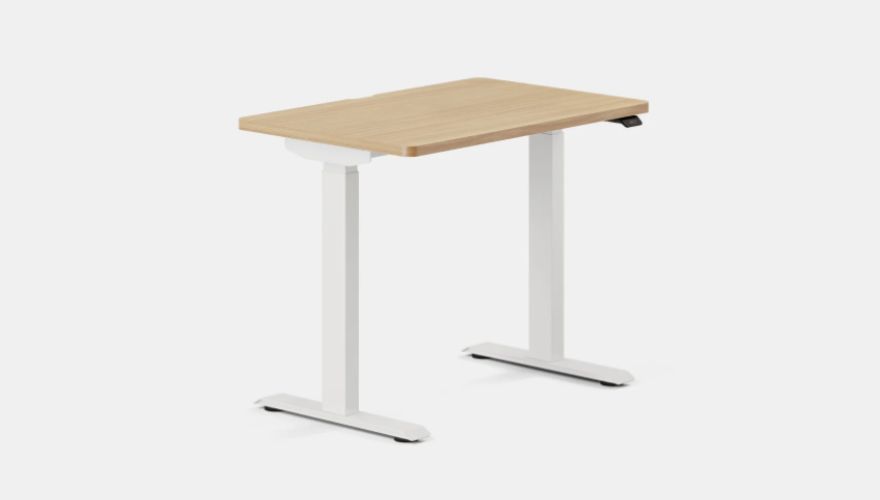
Best for: Design-conscious buyers who want a visually clean desk with storage that doesn’t look like an afterthought.
5. Fezibo Electric Standing Desk With Drawers — Best Budget Option
If you want built-in drawers without spending close to $1,000, the Fezibo Standing Desk with Drawers is one of the strongest budget-to-storage ratios available. Fezibo offers several models with either a single drawer or a pair of drawers integrated into the desktop structure, priced from roughly $300 to $450, depending on size and configuration.
The dual-motor systems cover a solid height range, and the included drawers have soft-close slides, a detail that typically costs more at this price point. Build quality isn’t/ at the premium level of Uplift or Liftdesk, but for home offices that need organised storage without a high budget, Fezibo consistently gets strong marks from buyers.
- Motor: Dual-motor
- Height: ~60–124 cm, depending on model
- Storage: Built-in 1–2 drawers, soft-close slides
- Extras: Memory presets, USB ports on select models, cable management
- Price: ~$300–$450
Best for: Budget-conscious buyers who still want real, built-in drawer storage.
6. Autonomous SmartDesk 5 Pro — Best for Aesthetics and Cable Management
The Autonomous SmartDesk 5 Pro arrived in April 2025 and brought a genuinely different visual language to the standing desk market. Gone are the standard black-and-white frames; instead, the SmartDesk 5 comes in Meteor Grey, Titanium White, and Stone Beige, with a smooth, powder-coated, chamfered-edge surface that feels tactile and premium.
The standout feature isn’t a drawer; it’s the cable management. The SmartDesk 5 includes a built-in power outlet (120V/15A) and a purpose-built cord-organisation system that drops down for wiring and reattaches cleanly. The Pro version adds a built-in touchscreen control panel rather than a button keypad. Weight capacity is up to 330 lbs with dual motors across a 29.5” to 48.5” height range.
- Motor: Dual-motor
- Height: 29.5”–48.5” (75–123 cm)
- Storage: Integrated power + advanced cable management system
- Extras: Touchscreen control (Pro), 330 lb capacity, chamfered ergonomic edges, 3 colourways
- Price: ~$949 (Pro)
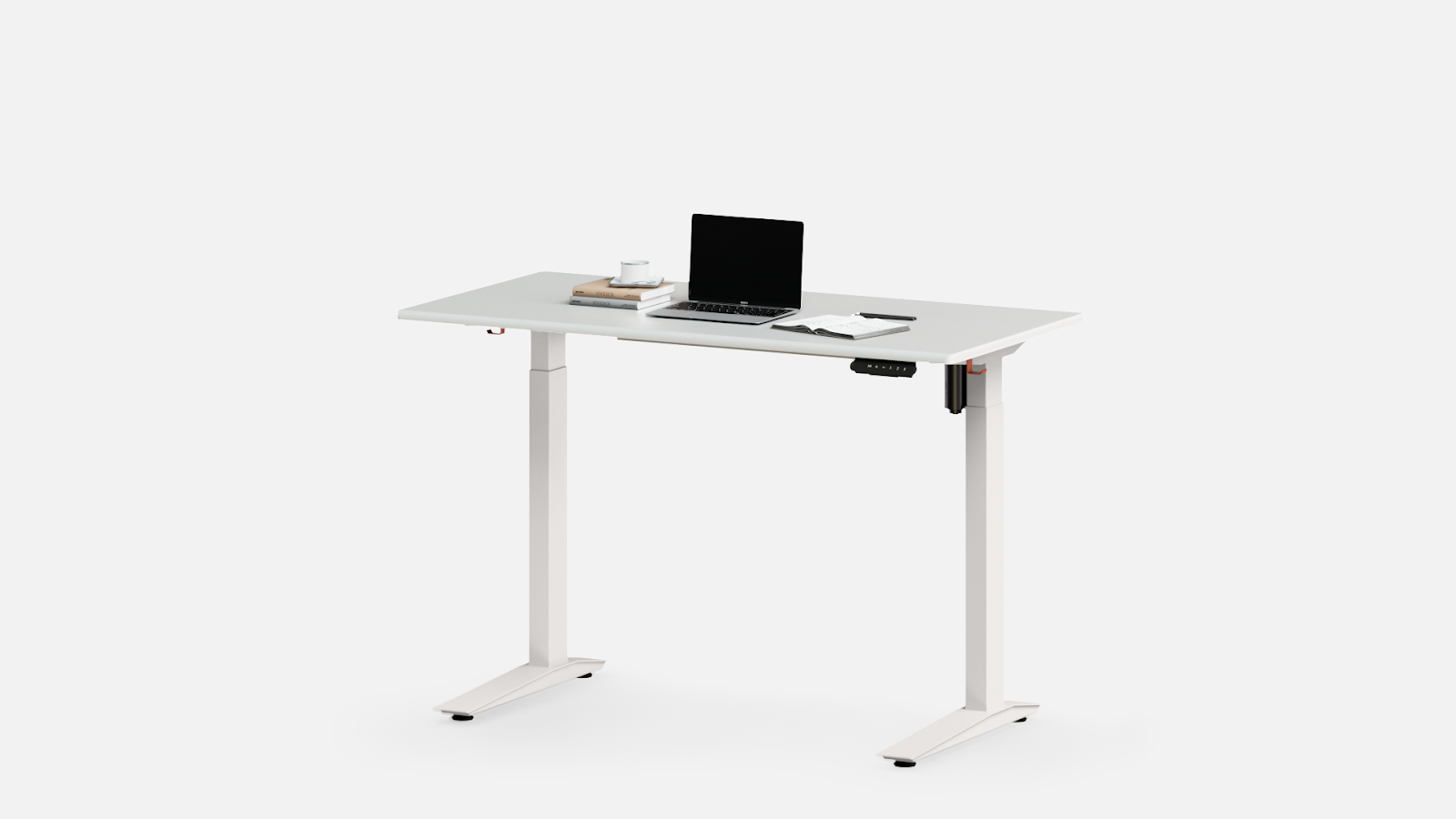
Best for: Creatives and professionals who prioritise a visually clean, cable-free workspace above everything else.
7. Lander Executive Solid Wood Standing Desk — Best Value for Modular Storage
The Lander Executive Standing Desk is a premium quality luxury workspace desk made from 100% solid wood. It is designed for professionals who want a strong, elegant, and long-lasting office desk. The natural wood finish gives the desk a classic executive look while keeping the workspace warm and comfortable.
Each desk is carefully crafted by skilled artisans. Production normally takes about 6 to 8 weeks, because every detail is finished by hand to maintain high-quality standards.
The desk is built to support heavy office setups. Its powerful lifting frame keeps the surface stable even when carrying monitors, storage drawers, and office equipment.
Key Specifications
- Weight Capacity: 540 lbs
- Material: Solid premium selected wood
- Storage: Full-length concealed electronics cabinet
- Power Option: 1800W executive power bus (optional)
- Crafting Time: 6–8 weeks
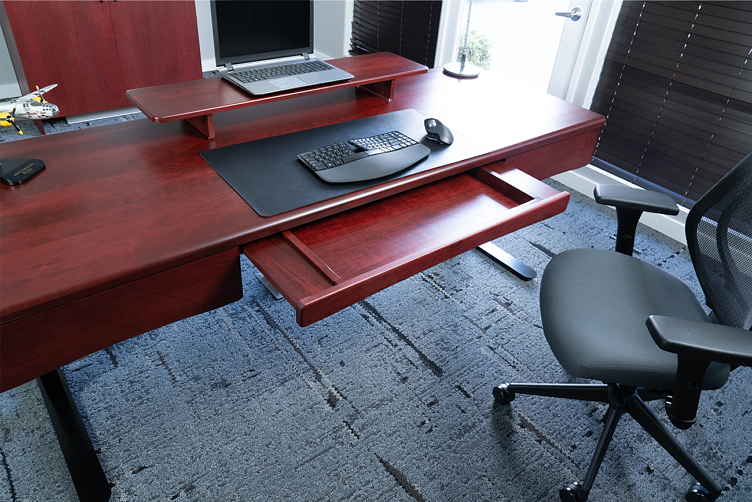
Best for: Anyone who wants a reliable, well-priced base desk and plans to add storage over time as their workspace evolves.
Quick Side-by-Side Comparison
Not sure which one fits your situation? This table gives you the key differences at a glance.
| Desk | Best For | Storage | Motor | Height Range | Price Range |
| Liftdesk Sendi E L-Shaped Executive | Executives | Side cabinet + shelves | Triple-motor | 63–128 cm | Contact for Quote |
| FlexiSpot Q8 | Home office | Built-in drawer | Dual-motor | 61–125 cm | ~$800 |
| UPLIFT V3 | Customizers | Add-on drawer | Dual-motor | 57–124 cm | From $699 |
| Branch Duo Standing Desk | Minimalists | Integrated drawer | Dual-motor | 64–129 cm | ~$849 |
| Fezibo Standing Desk | Budget buyers | Built-in drawers | Dual-motor | 60–124 cm | ~$300–$450 |
| Autonomous SmartDesk 5 Pro | Creatives/gamers | Cable management | Dual-motor | 62–128 cm | ~$949 |
| Lander Executive Solid Wood Standing Desk | Value seekers | Add-on drawers | Dual-motor | 60–129 cm | $5,630 |
How to Set Up Your Standing Desk With Drawers for Maximum Ergonomics
Buying the right desk is only half the equation. How you configure it determines whether you actually benefit.
A few practical setup tips:
1. Adjust The Height Properly.
For seated work, your elbows should sit at roughly 90 degrees with wrists neutral on the keyboard. For standing, the same rule applies; many people raise their desks too high, which puts shoulder strain back into the picture.
If you’re not sure where to start, aim for your desk surface to be at roughly elbow height in both positions.
2. Use Your Drawers Intentionally.
Not everything needs a dedicated drawer. Think in zones: daily-use items (headphones, pens, notepad) belong in the most accessible storage—ideally, an under-desk drawer.
Weekly-use items (files, spare cables, documents) work fine in a side cabinet. Items you rarely touch don’t need to be at your desk at all.
3. Build The Cable System First.
Before adding storage accessories, route your cables through the grommets and any included cable management channels. Once drawers are in place, reaching behind the desk to fix cables becomes a lot more difficult. Liftdesk desks include cable trunking and foldable cable boxes; use them from day one.
4. Alternate Positions Throughout The Day
The research consistently recommends switching between sitting and standing every 30 to 45 minutes rather than standing for long stretches. The memory presets on Liftdesk models make this effortless, save your sitting and standing heights once, and transitioning becomes a single-button press.
FAQs
1. Can A Standing Desk With Drawers Accommodate Dual Monitors Without Wobbling?
Yes, if the desk frame is built for stability. A high-quality adjustable standing desk with dual or triple motors and three-stage legs can support dual monitors, accessories, and a drawer storage unitwithout wobbling. Always keep the total weight well below the desk’s maximum capacity.
2. What Is The Difference Between Built-In Drawers And An Under-Desk Storage Drawer Add-On?
Built-in drawers are part of the desk structure and move with the surface during height adjustments, making them stable and spacious. An under-desk add-on attaches below the desktop and works best for small items. Both can complement a standing desk with a storage setup.
3. How Do I Know If A Standing Desk Is Truly Ergonomic?
A real ergonomic office desk offers a wide height range that comfortably supports both sitting and standing positions. Stability, smooth adjustment, and proper accessory placement also matter. Pairing the desk with the correct monitor height, keyboard position, and regular posture changes completes an effective ergonomic workspace.
Wrapping Up
A standing desk with drawers does more than improve ergonomics—it creates a fully functional workspace where posture support, organization, and cable management come together seamlessly. The desks in this guide cater to a variety of needs and budgets, from premium storage models like the Liftdesk Sendi E Executive to more affordable drawer-equipped options. Discover the full collection of standing desks at liftdesk find the perfect combination of ergonomics, storage, and style for your workspace.