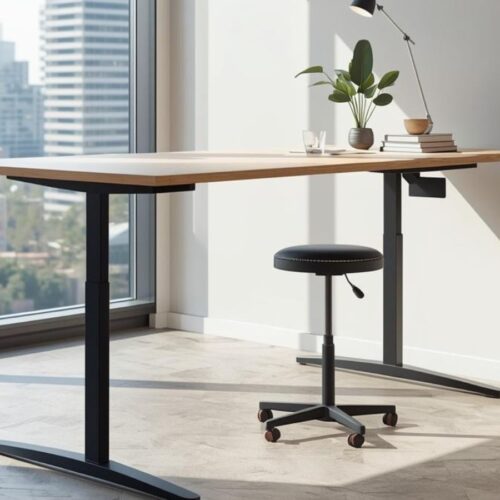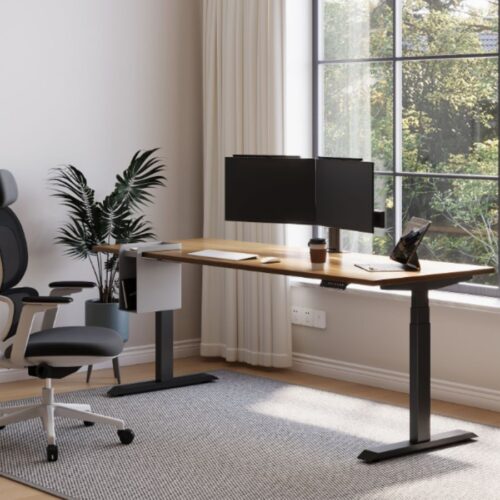
Many people are now working from home, albeit just for a few days a week. Due to this change, furniture in the office at home has become more important. One item that has become increasingly popular is the standing desk. These desks allow you to sit and stand as you work. This could help people to be more comfortable on long workdays. In fact, one survey found that around 45% of the people who work from home now use a standing desk or plan to buy one.
L-shaped standing desks are especially useful. Their corner design provides you with more space to work in. Some monitors can be placed on the desk and have paperwork right next to them, and still have space for a laptop or keyboard. Many people have also wanted to know how these desks fit snugly into a corner so that they can use their room space better.
Another reason that people opt for standing desks is to develop healthier work habits. Switching between sitting and standing can help to reduce stiffness and keep your body going throughout the day.
In this guide, you will get to know some of the main benefits of L-shaped standing desks, how to choose your preferred desk for your space, and some of the best desks available today. You will also find a comparison table and useful FAQs to make your choice easier.
Also Check: Benefits of Standing Desk
What Is an L-Shaped Standing Desk?
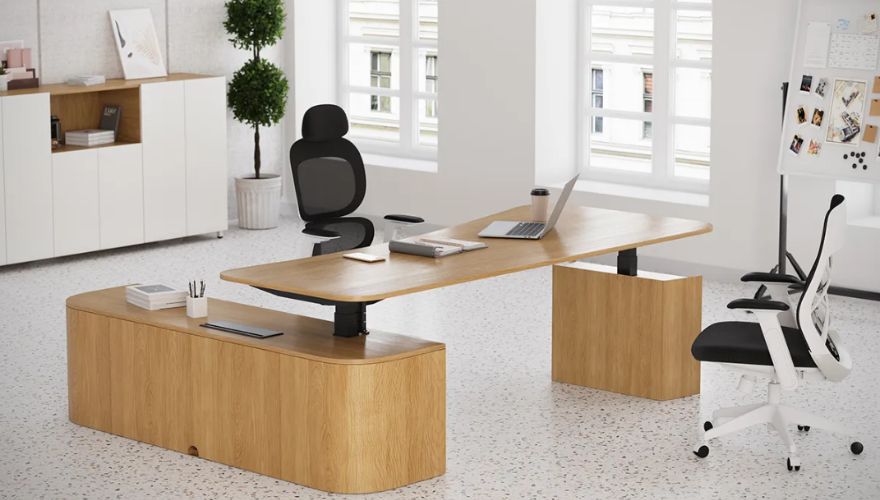
An L-shaped standing desk features two desktop sections that are inserted together with a corner to form an “L” shape. This design produces a bigger work surface than a normal desk. It is often placed in the corner of a room, which can help to save space and make the area look more organized.
Many L-shaped standing desks have an electric lift system. With a button, you can make the desk higher or lower to change from sitting to standing mode. This makes it very easy to stay comfortable throughout long hours of work.
In home offices, gaming set-ups, and in executive offices, you will often see L-shaped standing desks. Design provides ample space for the user to use computers, monitors, and other work tools.
Unlike a regular straight desk, an L-shaped desk will allow you to separate tasks. One side can be used for your computer and monitors, while the other is for writing, meetings, or paperwork. It’s true that this layout helps to keep your workspace tidy, and it’s easier to maintain a sense of focus throughout the day.
Benefits of an L-Shaped Standing Desk
1. More Space Without Needing a Bigger Room
One of the largest advantages of an L-shaped standing desk is the additional workspace it will offer. Instead of one plain flat surface, the desk has two sections connected together. This gives you more room with your computer, your monitors, your notebooks, and other tools. Even though the desk is bigger, it fits nicely into a corner, which is useful for smaller rooms to conserve floor space.
2. Natural Task Separation
The L shape makes it easier to divide your job into zones. For example, one side of the desk can be used for your computer and keyboard, while the other side can hold paperwork, books, or a tablet. This simple separation can help to reduce clutter and make it easier to focus on one task at a time.
3. Better Screen Positioning
An L-shaped desk will make it easier to place monitors at comfortable angles. Many people like to have their main screen in front of them, and a second monitor to the side. This layout makes it so that you don’t have to twist your neck as often and makes it so that you can move around the screens more smoothly.
4. Promotes Movement throughout the Day
Due to the wider width of the desk, people often move between the different sections during the day. You could stand up while working on your computer – and sit down while looking through documents – on the other side. This natural movement is beneficial to prevent one’s body from staying in the same position for too long.
5. Creates a Defined Work Boundary
Another lesser-known benefit is that the shape assists in creating a dedicated website space. The corner setup creates a defined “work zone”, which can help to differentiate work from personal space, especially in home offices.
How to Choose the Best L-Shaped Standing Desk
The selection of the right L-shaped standing desk depends on a few more practical things. Looking at actual specifications, including the height range, weight capacity, and frame stability, can help when you are looking for a desk that works for your workspace and equipment.
1. Desk Size and Layout
Start by measuring the space where you’ll place the desk. In the case of L-shaped desks, the L is made for corners, so check both the length of the wall. Many corner desks have 60 to 80 inches of surface space per side, providing ample space for monitors, keyboards, and documents.
2. Height Adjustment Range
A good standing desk should be one that accommodates both sitting and standing positions. Many adjustable desks adjust between approximately 22 to 47 inches, which means that you can use your desk at a height that is comfortable for you.
For many adults, their ideal standing height is anywhere between 38 and 46 inches, which is ideal to maintain a 90-degree angle for their elbows when they are typing.
Also see: Standing Desk Height: How to Find the Perfect Ergonomic Height
3. Weight Capacity
Check the desk’s weight limit. Most standing desks have a load capacity of 80-160 kg (177-355 lbs), which varies according to the frame and motor. This is important if you use multiple monitors, monitor arms, or heavy equipment.
4. Motor and Frame Stability
An electric desk typically comes with single or dual motors. Dual-motor systems are common in larger desks since they can handle larger weights and are smoother.
A steel frame and broad base also enhance stability, especially on large-scale L-shaped workstations.
Also Check: Best Executive Standing Desk
Best L-Shaped Standing Desks in 2026
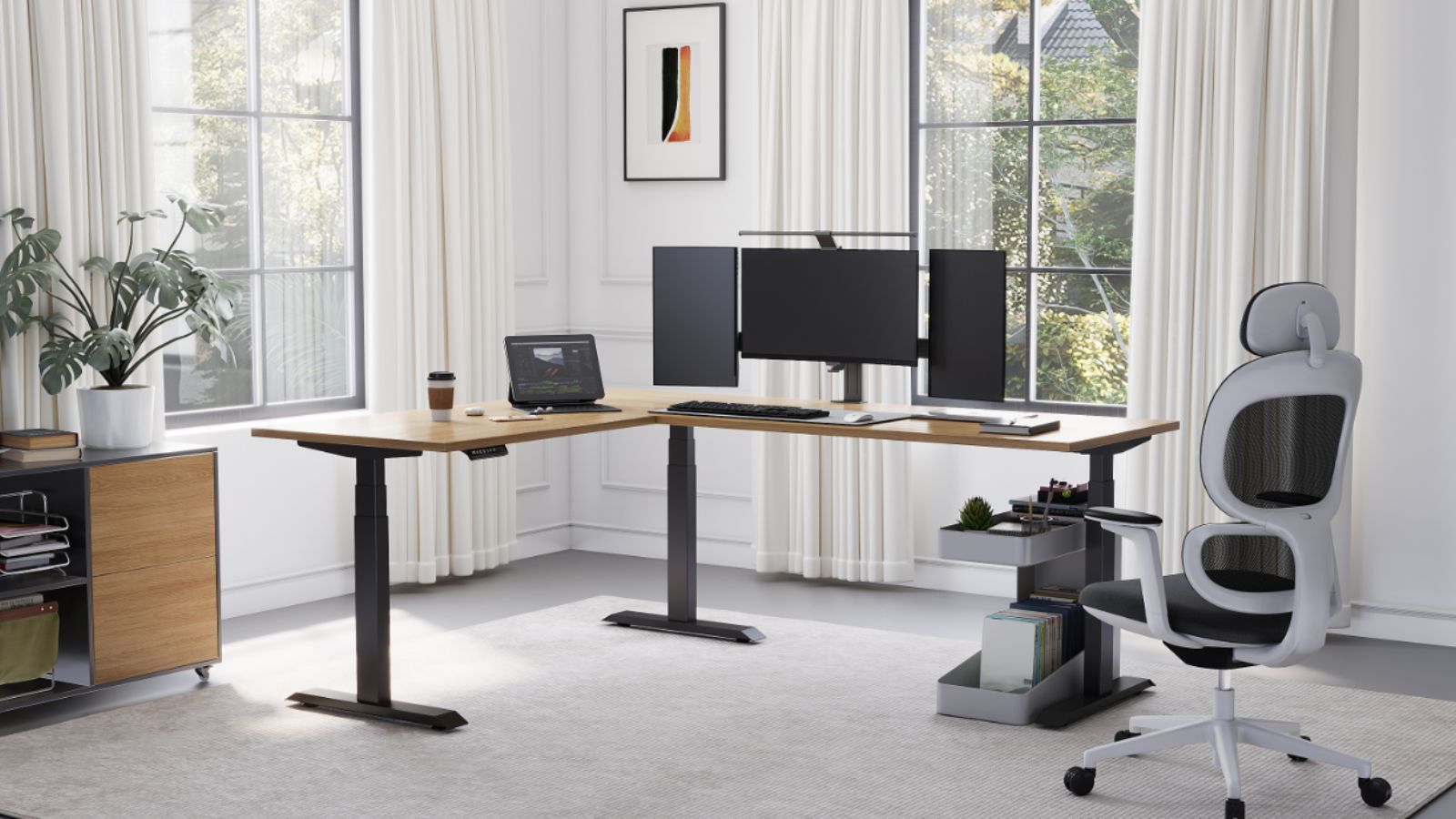
1. Liftdesk Sendi L-Shaped
It’s appropriate for modern homes and professional offices. It has a generous corner design with room for multi-monitor setups and controlled workflows. The electric lift system makes it easy to change levels between sitting and standing within the working day.
| Pros | Cons |
| Spacious corner workspace | Premium price |
| Smooth electric adjustment | Requires assembly |
| Good for multi-monitor setups | Large footprint |
| Modern professional design | Limited retail availability |
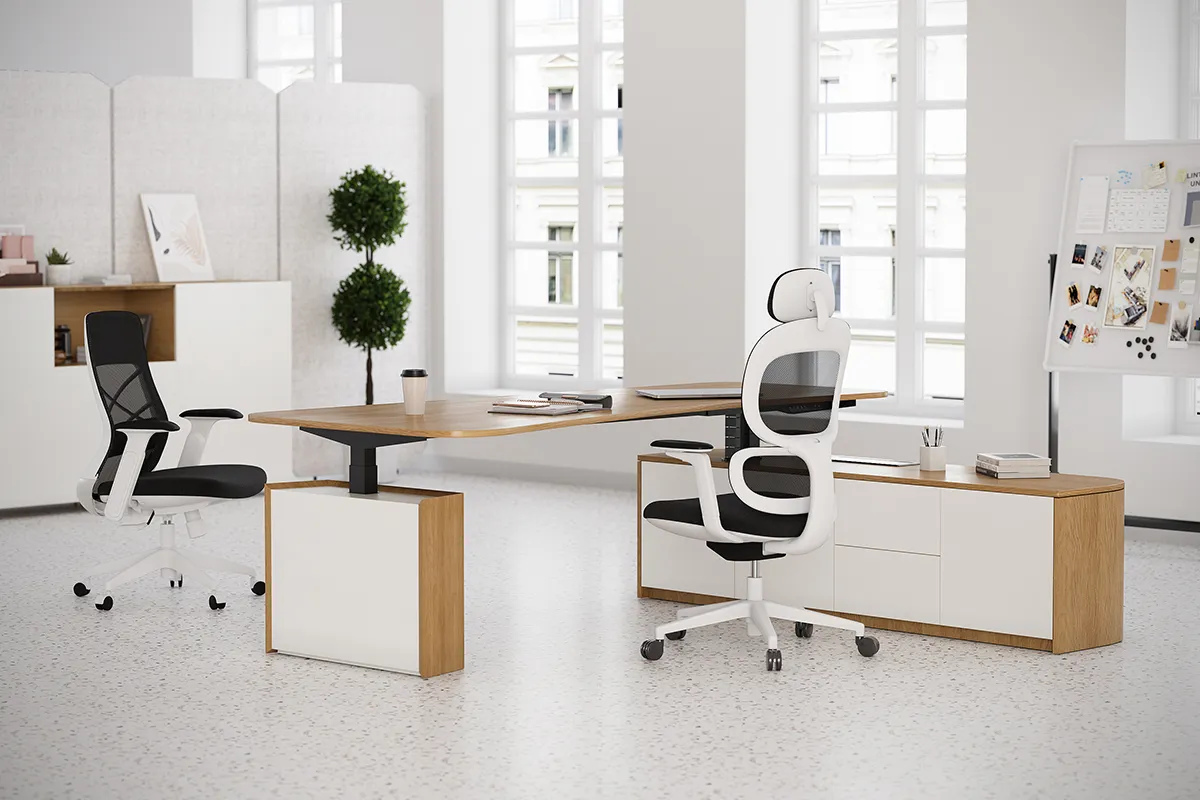
2. Sendi E L-Shaped Executive Standing Desk
The Sendi E L-Shaped Executive Standing Desk is a large executive-style workspace that has a stable feel. It is designed for professionals who require additional surface area for monitors, documents, and tools in their offices. The electrical height-adjustment facilitates comfortable working positions for the whole day.
| Pros | Cons |
| Executive-level workspace | Higher cost |
| Strong frame stability | Requires large office space |
| Smooth height adjustment | Heavy to move |
| Suitable for complex setups | Longer setup time |
3. Uplift V2 L-Shaped Standing Desk
The Uplift V2 L-Shaped Standing Desk is known for its build quality and customization options. It provides a solid two-motor frame and huge desktop surfaces. Many people use it for multiple monitors and also for working for long hours because of its good lifting performance.
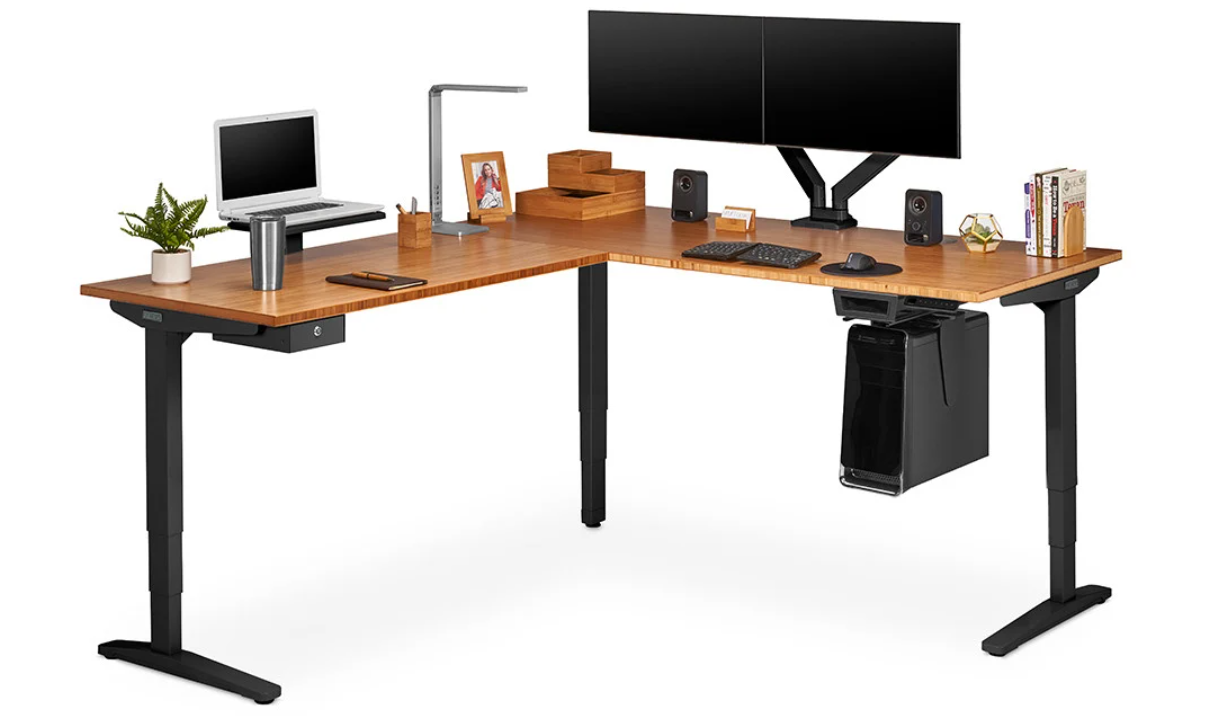
Image Source: https://www.upliftdesk.com/
| Pros | Cons |
| High weight capacity | Expensive |
| Very stable frame | Many configuration choices |
| Smooth dual-motor system | Large footprint |
| Wide size options | Assembly takes time |
4. SEDETA L-Shaped Desk
The SEDETA L-Shaped Desk is focused on simple design and ergonomic adjustability. It allows for smooth electric height adjustments as well as a stable work surface. The desk is good for home office spaces that require additional office space but do not need overly complicated setups.
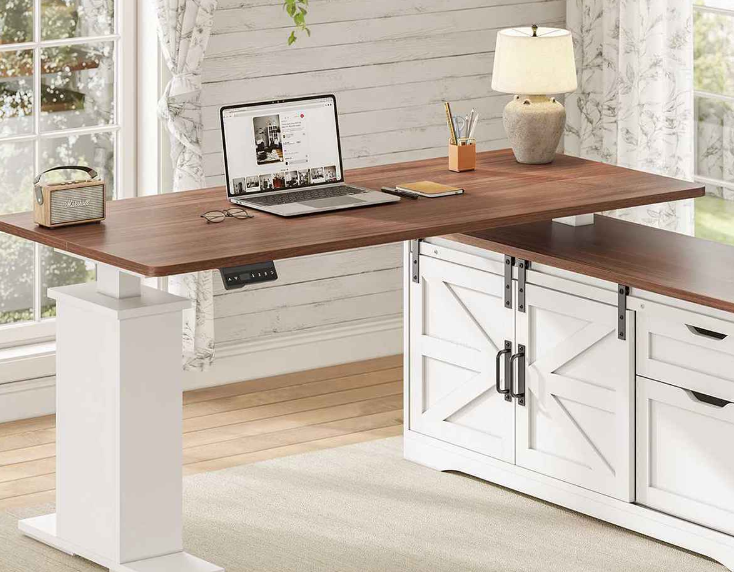
Image Source: https://www.sedetalife.com/
| Pros | Cons |
| Smooth motor operation | Limited size options |
| Clean modern design | Premium price |
| Stable frame | Accessories cost extra |
| Good for home offices | Setup required |
5. Flexispot L-Shaped Standing Desk
The Flexispot L-Shaped Standing Desk is a more practical option for users who need more working space and are looking for a more cost-effective option. It provides electric height adjustability and sufficient space on the surface to mount several monitors. The desk is generally used in home offices and small offices.
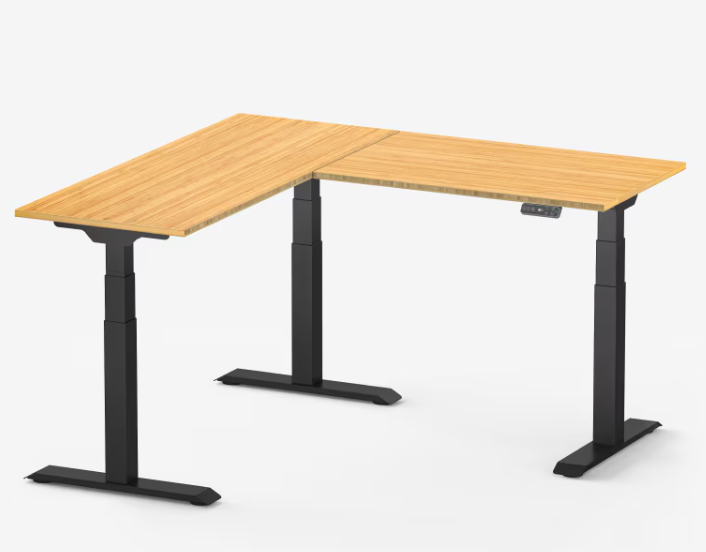
Image Source: https://www.flexispot.com/
| Pros | Cons |
| Affordable price | Lower weight capacity |
| Electric height adjustment | Basic desktop materials |
| Good corner design | Less stable at max height |
| Suitable for home offices | Limited customization |
6. Autonomous SmartDesk Corner
The Autonomous SmartDesk Corner is intended for a large workstation setup. It comes with a sturdy frame and programmable height controls to quickly adjust it. The desk is mostly used by professionals who need a large corner desk for monitors and equipment.
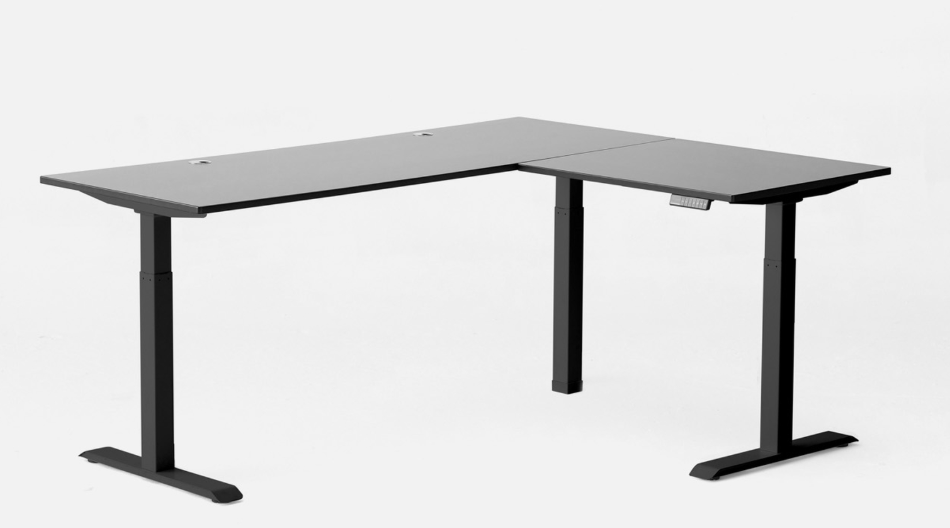
Image Source: https://www.autonomous.ai/
| Pros | Cons |
| Large desktop surface | Expensive |
| Programmable controls | Heavy frame |
| Good lifting power | Requires big space |
| Strong workstation design | Assembly time needed |
7. Vari L-Shaped Standing Desk
The focus of the Vari L-Shaped Standing Desk is durability and stable lifting performance. It makes use of a sturdy frame and a smooth electric adjustment system. The desk is aimed at people who wish to use their corner as a workstation for daily and proper work.
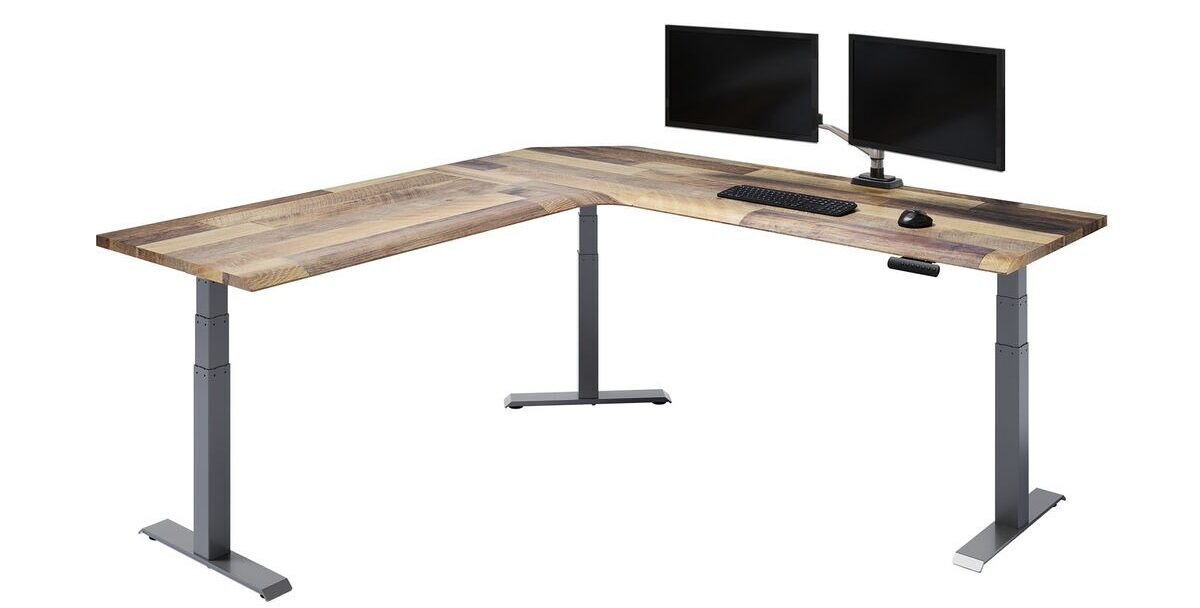
Image Source: https://www.vari.com/
| Pros | Cons |
| Strong frame stability | Premium cost |
| Smooth height transitions | Limited customization |
| Professional design | Heavy desk frame |
| Reliable lifting system | Large footprint |
8. Fezibo L-Shaped Electric Desk
The Fezibo L-Shaped Electric Desk is a cost-effective chance to obtain a corner standing workstation. This has electric height adjustment and basic cable management. The desk is very suitable for home office configurations that require more workspace at an affordable cost.
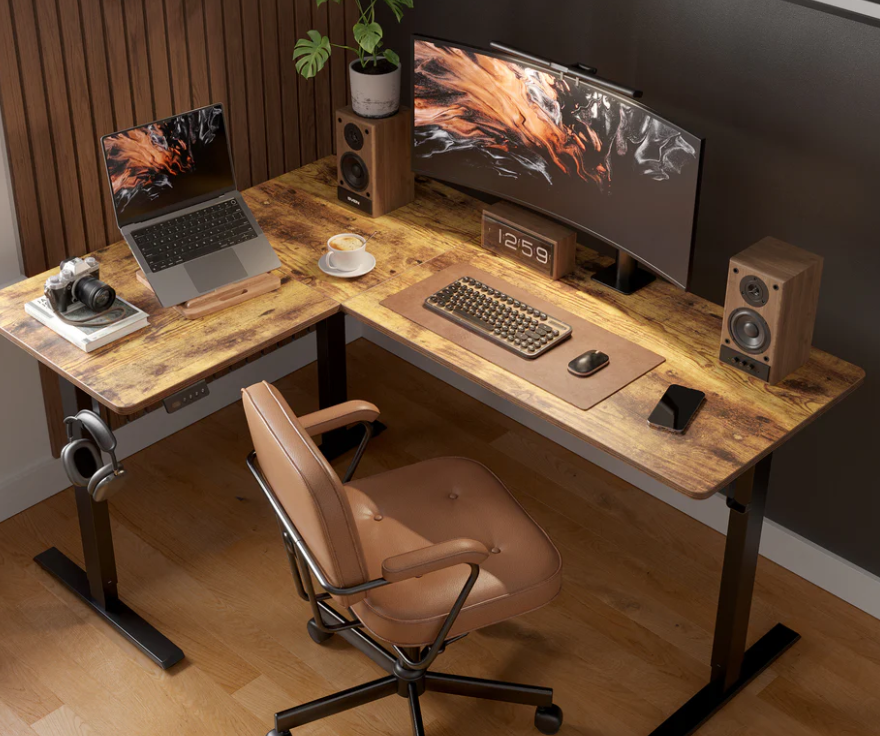
Image Source: https://www.fezibo.com/
| Pros | Cons |
| Budget friendly | Lower durability |
| Electric adjustment | Less stable at max height |
| Includes storage options | Basic materials |
| Good for small offices | Limited warranty |
9. Vivo L-Shaped Electric Standing Desk
The Vivo L-Shaped Electric Standing Desk is a useful workstation for multi-monitor users. It has a corner layout and an electric lifting system. The desk would usually be used in home offices where the size of the work surface is needed for computers and accessories.
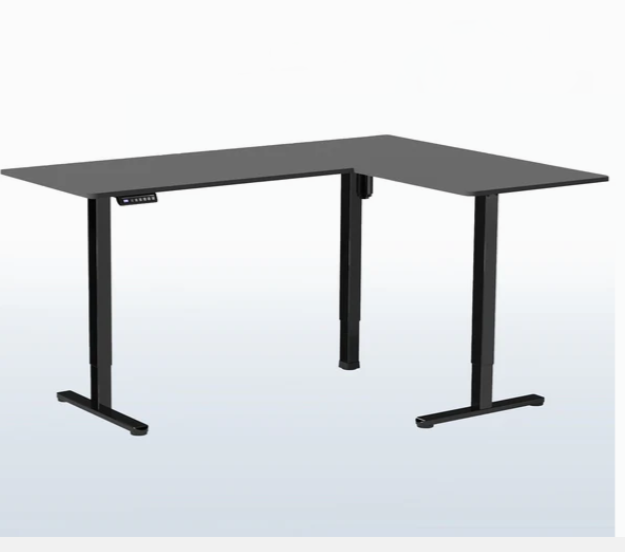
Image Source: https://vivo-us.com/
| Pros | Cons |
| Large corner workspace | Moderate stability |
| Electric height control | Basic design |
| Suitable for multi-monitors | Limited finish options |
| Affordable compared to premium desks | Assembly required |
10. ApexDesk Elite Series
The ApexDesk Elite Series is designed for users who require heavy lifting power and stability. It has a sturdily constructed steel frame and a large desktop surface. The desk is great for multi-monitor and professional workstations.
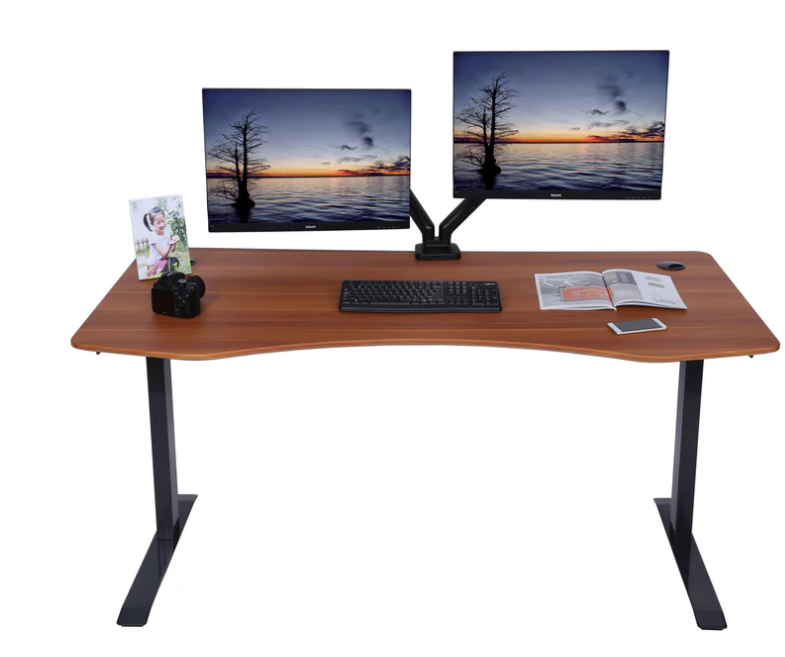
Image Source: https://www.apexdesk.com/
| Pros | Cons |
| Strong steel frame | Expensive |
| High weight capacity | Heavy desk |
| Stable at standing height | Limited design choices |
| Large work surface | Requires big room |
Comparison Table
| Desk | Type | Weight Capacity | Height Range | Best For |
| Liftdesk Sendi | Electric L-shape | Not listed | Electric adjustable | Home offices |
| Sendi E Executive | Electric L-shape | Not listed | Electric adjustable | Executive setups |
| Uplift V2 L-Shaped | Electric | ~355 lbs | Wide adjustable range | Multi-monitor workstations |
| SEDETA L-Shaped | Electric | ~350 lbs | Electric adjustable | Modern home offices |
| Flexispot L-Shaped | Electric | ~220 lbs | Electric adjustable | Budget corner setups |
| Autonomous SmartDesk Corner | Electric | ~300 lbs | Electric adjustable | Creative workspaces |
| Vari L-Shaped Desk | Electric | ~200 lbs | Electric adjustable | Professional offices |
| Fezibo L-Shaped Desk | Electric | ~176 lbs | Electric adjustable | Budget home offices |
| Vivo L-Shaped Electric | Electric/manual options | ~154–200 lbs | Adjustable | Small office setups |
| ApexDesk Elite Series | Electric | 235 lbs | 29–49 inches | Heavy workstation setups |
FAQs
1. Are L-shaped standing desks worth the cost?
There are L-shaped standing desks available, which are great for people who require more workspace. The corner design provides more space for monitors, laptops, and documents. Many users also like the way that the desk allows for different tasks to be organized on separate sides.
2. How much space do I need for an L-shaped desk?
Most L-shaped desks are between 60 to 80 inches on each side. In this scenario, it is best to measure the corner area of your room before purchasing. This ensures that the desk fits comfortably and is not in the way of movement.
3. Are L-shaped standing desks good for multiple monitors?
Yes, they work very well for multi-monitor setups. The corner configuration provides space for screens laid in a natural curve. This way, it is easier to see both monitors without turning your neck too much.
4. How much weight can an L-shaped standing desk support?
Many electric standing desks can hold 200 to 350 pounds. This is usually enough for two or three monitors, a desktop computer, and other work items such as a keyboard, speakers, or a lamp.
5. How often should you switch between sitting and standing?
It is best to change positions every 30 to 60 minutes. This helps your body to move more throughout the day. It can also help to reduce stiffness and help you work comfortably.
Conclusion
An L-shaped standing desk can make your workspace more comfortable and easier for you to work in. The corner shape provides more room for monitors, computers, etc., for work. It also helps you to alternate between sitting and standing throughout the day. Choosing the right size and a sturdy, stable desk can help you create a workstation that can help you focus and work better and healthier.

Liftdesk is a professional standing desk manufacturer, offering expert buying guides, workplace design, and ergonomic tips to help you create a healthier, more productive workspace.