Do you spend your day sitting at a desk?
It’s common to feel back pain or low energy after hours in a chair. You might have heard about standing desks. They can help you feel better and be more productive.
A 2024 study looked at office workers who used standing desks for 6 months. The workers also got small reminders to stand. The results showed clear benefits:
- Less muscle soreness
- Feeling less tired after work
- Reduced back pain
But a big question holds many people back: Aren’t they expensive?
The good news is, no. You can find a quality, affordable standing desk without hurting your wallet. The market is now full of great options for every budget.
This guide is here to help you find the perfect fit. The Liftdesk team tested several popular models, and we will break down the best budget standing desks available. We look at key factors like price, stability, and ease of use.
Table of Contents
- A Quick Buying Guide: What to Look For in a Budget Standing Desk
- Best Budget Standing Desks Tested and Reviewed
- Don’t Need a New Desk? The Converter Solution
- Frequently Asked Questions (FAQs)
A Quick Buying Guide: What to Look For in a Budget Standing Desk
First things first, the key features to consider. This will help you find the best budget standing desk for your needs. You don’t need to be an expert. You just need to know what matters for your daily use.

1. Manual vs. Electric: The Big Choice
This is your first and most important decision.
Manual (Crank) Desks:
Think of an old-fashioned car window. You turn a handle to move the desk up and down.
- Pros: They are the most affordable option. They are reliable because there’s no motor that could break.
- Cons: It takes a little effort to adjust. If you change positions often, it can feel inconvenient.
Electric (Motorized) Desks:
You press a button, and a quiet motor does all the work for you.
- Pros: It’s incredibly easy and fast. Many electric desks offer memory presets, so you can save your fav sitting and standing heights.
- Cons: They cost more than manual desks.
💎Quick Tip: If your budget allows, an electric desk is often worth it for the sheer convenience.
2. Don’t Forget the Desktop
The frame adjusts the height, but the desktop is what you see and use every day.
- Size: Measure your space! Make sure the desk will fit in your room. Also, think about your gear. Do you have one monitor or two? You’ll need a surface wide and deep enough to hold everything comfortably. You can consider a larger desktop or an L-shaped model.
- Material: Most budget desks use engineered wood like MDF. It looks good and is affordable. Just be careful with heavy objects to avoid dents.
3. Key Numbers to Check
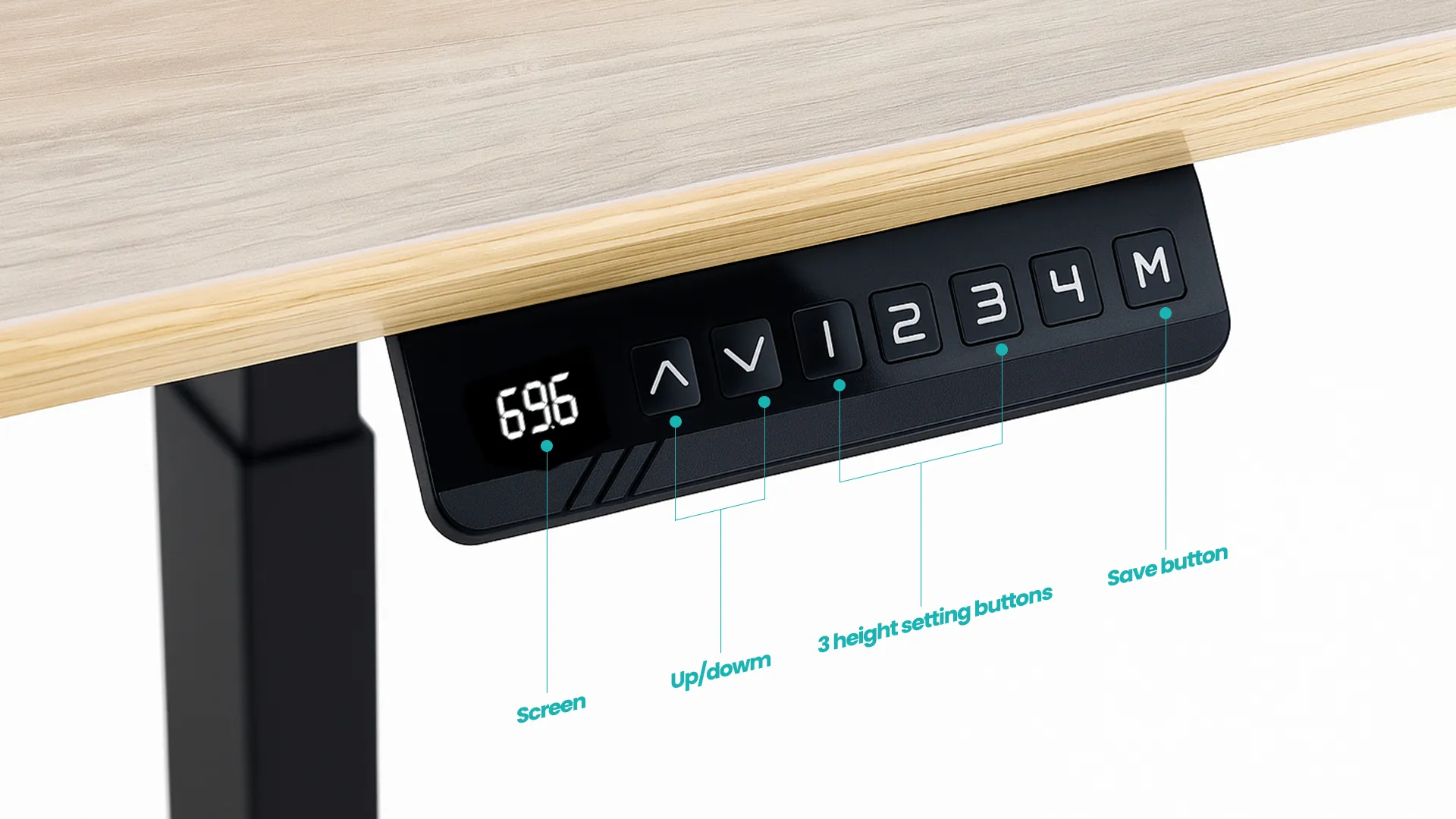
Before you click “buy,” take a quick look at these specs.
- Height Range: This is crucial for a good fit. Check the desk’s lowest and highest settings. Can it go low enough for you to type comfortably while sitting? Can it go high enough for you to stand up straight?
- Memory Presets: This is a game-changer. With the press of one button, the desk can automatically return to your perfect sitting or standing height. It makes switching positions seamless.
- Anti-Collision Feature: This is a smart safety feature. If the desk senses an obstacle while moving down, it will automatically stop and reverse direction. This protects your chair and any toys your pet might leave underneath.
💎Related articles for pet owners:
- How to Buy Pet-Friendly Couches?
- What are the Best Couch Materials for Cats?
- Best Couch Material for Dogs
- Weight Capacity: How much can the desk lift? Add up the weight of your monitors, computer, and anything else you’ll keep on it. Make sure the desk can handle that load without straining the motor.
- Stability: No one wants a wobbly desk. Look for reviews that mention “stability” or “wobble.” A stable desk makes typing and working while standing much more pleasant.
💡 Pro tip: If you’re not sure about the right height, you can use a desk height calculator to find the proper range of your desk height, chair height, and monitor height. For chair height, check this guide: What is the Standard Chair Height? It offers a simple guide on how to find the ideal chair height and how to set up an ergonomic workspace.
4. Nice-to-Have Extras
Some features add great value without a high cost.
- Cable Management: A simple tray or basket under the desk can hide ugly wires. It makes your whole setup look clean and organized.
- A Good Warranty: A warranty of 3-5 years shows the company trusts its product. It gives you peace of mind for your purchase.
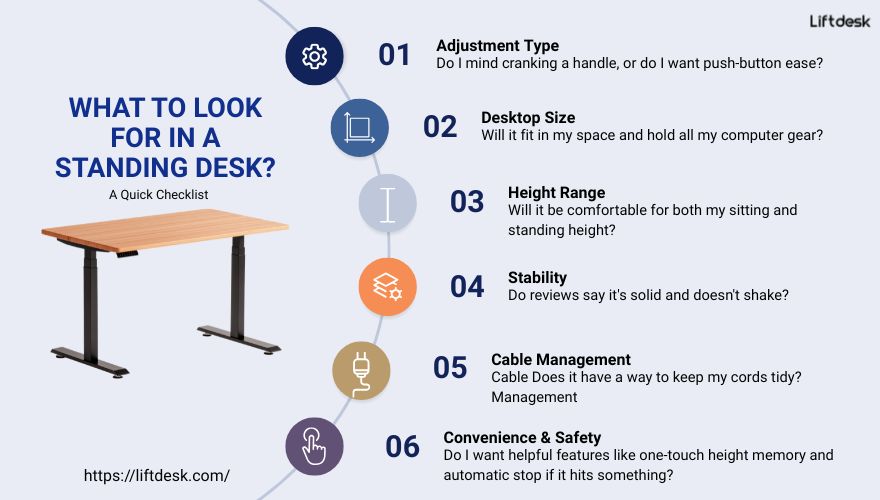
Here’s a quick checklist to help you shop:
Best Budget Standing Desks Tested and Reviewed
Now, here are some quality budget standing desks on the market.
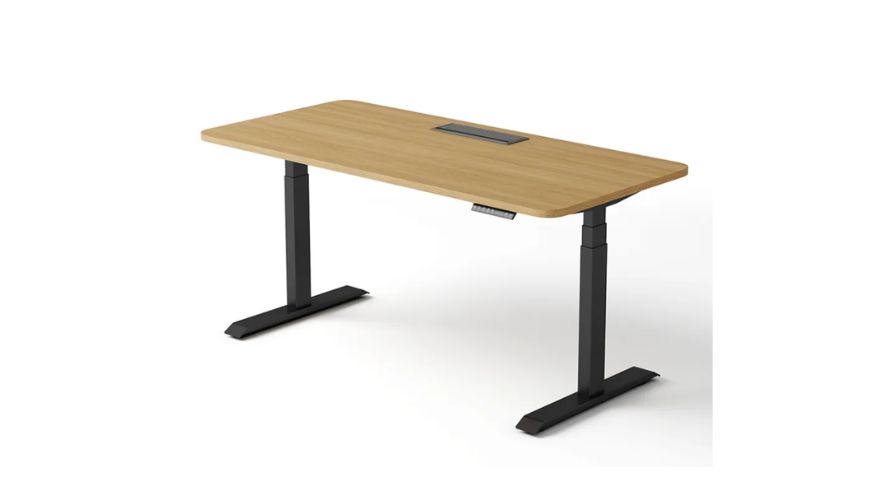
1. Liftdesk Electric Standing Desk
The Basics:
| Features | Specs |
|---|---|
| Price | Inquiry for a tailored solution |
| Motor | Dual-motor |
| Leg Section | 3-stage |
| Adjustable Height | 630-1280mm |
| Max Speed | 40mm/sec |
| Noise Level | ≤50dB |
| Memory Presets | 4 |
| Anti-collision Protection | Yes |
| Load Capacity | 1250N |
Our teammate Mark, a video editor with two heavy monitors, needed a desk that wouldn’t flinch under his setup. He tried the Liftdesk, and the first thing he noticed was the smooth, quiet power of the dual-motor system. “It just feels incredibly solid and reliable when moving,” he said. “There’s no sense of strain, even at full load.”
The 3-stage legs are a key advantage here. They allow the desk to go both lower and higher than many two-stage models, making it a great fit for both taller users and those who prefer a very low seating position. The anti-collision feature also offers peace of mind, knowing it would automatically stop if it hit your office chair.
While Liftdesk as a brand might be newer to the market, it’s backed by a parent company with over a decade in the furniture industry. This shows in the build quality. Beyond the complete desk, you can buy just the strong frame only, or explore L-shaped standing desks and full workstations to build your perfect setup.
If you’re setting up a professional studio or a home office that needs to handle serious work, the Liftdesk is for you. It’s built for power and quiet operation, making it a high-performance pick that’s worth the investment.
2. FlexiSpot E5 Electric Standing Desk

The Basics:
| Features | Specs |
|---|---|
| Price | Frame only ($199.99; costs add up as you choose a different desktop or add-ons) |
| Motor | Dual-motor |
| Leg Section | 3-stage |
| Adjustable Height | 23.6 “-49.2” |
| Adjustable Width | 44 “-58.5” |
| Memory Presets | 4 |
| Anti-collision Protection | Yes |
| Load Capacity | 276 lbs |
“As someone who is 5 feet tall, finding a standing desk that goes low enough was my top priority. The FlexiSpot E5 lowers to a perfect height for me. I was also pleasantly surprised by how straightforward the assembly was. The instructions were clear, and I managed to put it together myself in about an hour and a half.” Sarah, from the marketing team.
In daily use, the height adjustment is fast and easy. The four memory presets are very handy. Sarah has one button for her perfect sitting height and another for standing. It holds two monitors, a laptop, and other gear with plenty of space left over. The bamboo top looks and feels great – definitely worth it.
Comparison: E5 vs. E7?
When comparing it to the more advanced E7 model, the E5 holds its own as a very solid budget electric desk. The main differences are in the finishing touches. The E5’s keypad is more basic, and the cable management is less integrated. For example, on the E5, the power supply is secured under the desk with strong two-sided tape. It’s holding perfectly fine for now, but it might need a check-up in the long run. If you want a completely seamless look with built-in cable trays, the E7 is better. But for the price, the E5 offers fantastic core performance.
Related: Is the FlexiSpot Standing Desk Worth It?
3. Fezibo Brase Electric Standing Desk
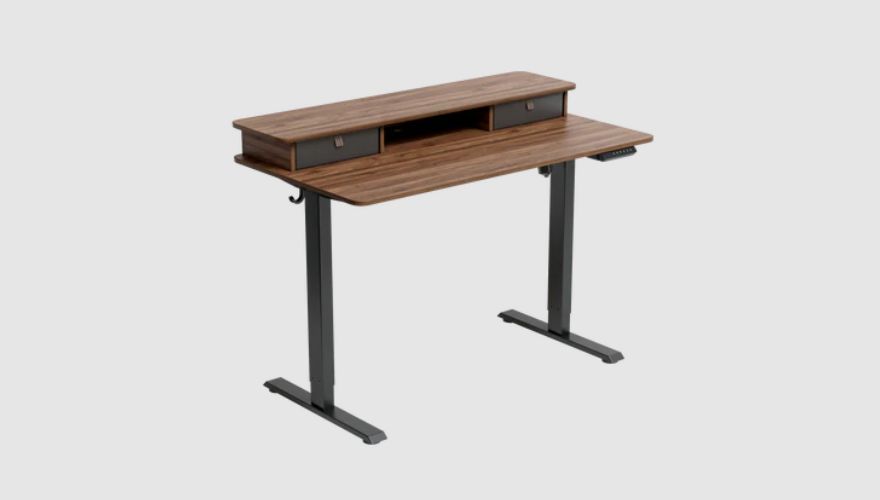
The Basics:
| Features | Specs |
|---|---|
| Price | Starts at 149.99 |
| Motor | Dual-motor |
| Leg Section | 2-stage (S2 frame) |
| Adjustable Height | 28.3 “-46.5” |
| Memory Presets | 3 |
| Anti-collision Protection | Yes |
| Load Capacity | 176 lbs |
This standing desk with storage can help solve your clutter problems. “The best part is the smart storage design,” our tester Linda said. “The upper shelf holds my monitors perfectly. I have a lot of pens and sticky notes, and those two small drawers are just the right size to hold my small items, keeping my desk tidy.”
Plus, you get hooks for your bag and… here’s the cool part – four caster wheels.
“Being able to easily move my desk is fantastic,” Linda adds. “When I need to vacuum or rearrange my home office, it rolls smoothly across the floor.”
In daily use, the motor is generally smooth and quiet enough for most people. The desk moves up and down without much fuss. However, it’s worth noting that at its highest setting, you might experience a slight wobble, especially if you have a heavy monitor setup. It has a lower weight capacity than some models and only three memory presets.
If you work from home and like to move the desk around, it’s an ideal pick.
4. Wayfair Dojtcho Home Office Height Adjustable Standing Desk
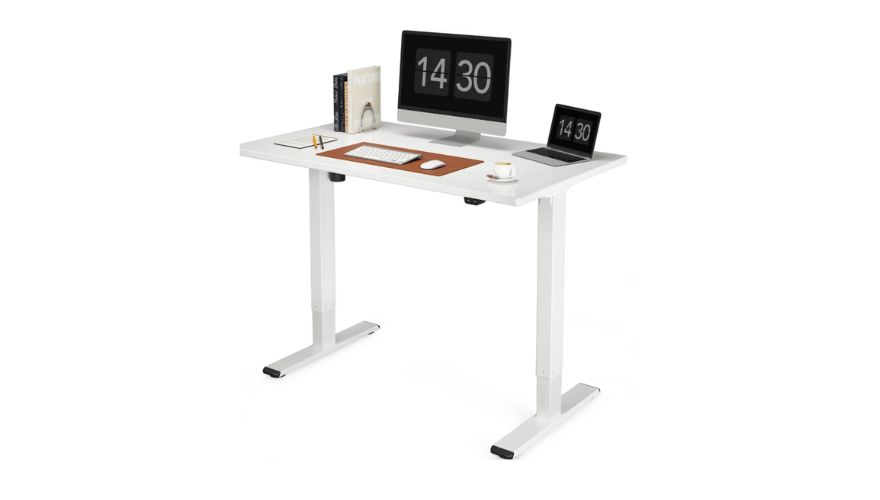
The Basics:
| Features | Specs |
|---|---|
| Price | Starts at $190.00 |
| Motor | Dual-motor |
| Leg Section | 2-stage |
| Adjustable Height | 29″ to 46.6″ |
| Memory Presets | 4 |
| Anti-collision Protection | Yes |
| Load Capacity | 154 lb. |
The Wayfair Dojtcho scores points right out of the box with its easy assembly—a major plus for anyone who dreads complicated furniture setup. Its compact size makes it ideal for smaller home office spaces.
According to Mike, “The height adjustment is smooth, and I use the built-in USB chargers daily,” he says. “For the price, it covers all the basics.”
A quick word of caution: this desk might not be the most durable. It works well new, but some owners notice the motor struggling after about a year. The construction is good for the price, but may not stand up to heavy daily use over many years.
If you already shop on Wayfair and trust their customer service, the convenience alone could make this desk an ideal choice from this trusted retailer.
Don’t Need a New Desk? The Converter Solution
What if you want to try a standing desk without buying a whole new piece of furniture? That’s where a desk converter comes in.
What is a Desk Converter?
Think of it as a mini-desk that sits right on top of your current one. You simply place it on your existing table, and it gives you a platform that you can raise and lower. It’s a quick and simple way to turn any regular desk into a standing desk.
Who is this Best For?
This is the perfect solution for:
- Anyone on a very tight budget.
- Renters who can’t replace furniture.
- People with limited space who need a flexible setup.
A Top Pick to Consider: Branch Desk Riser Shelf
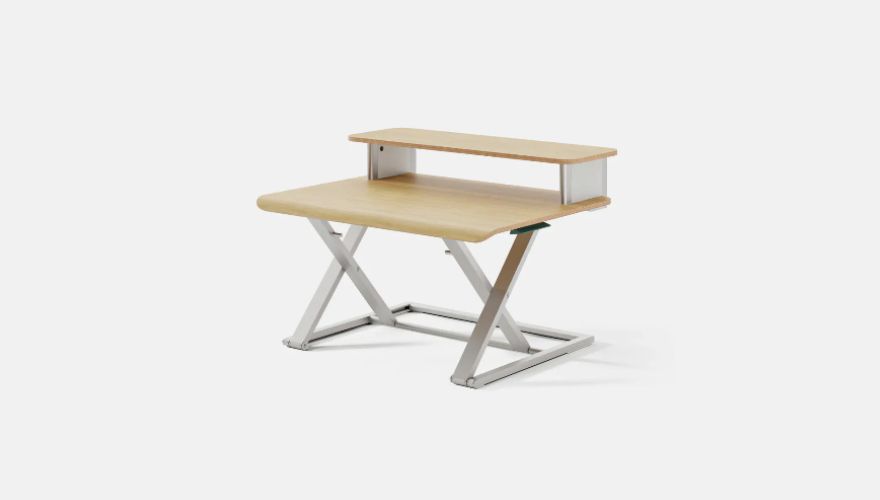
It’s known for its clean, minimalist look that fits into any home office decor. The operation is straightforward. It does its job well without any complicated parts.
In short, if you want an affordable ($84 now), space-saving, and stylish way to start standing more at work, a desk converter like this could be your perfect match.
Frequently Asked Questions (FAQs)
While both get the job done, the more expensive models typically offer:
– Higher weight capacity
– Better stability
– More durable materials
– More customization options
For occasional use, a budget desk is fine, but for daily heavy use, investing more pays off.
Start slow. Try standing for 20-30 minutes at a time, a few times a day. Listen to your body. The goal is to move more, not stand all day. Within a few weeks, it will feel natural.
Yes, but it’s about movement, not just standing. The main benefit is breaking up long periods of sitting.
A 2025 research review found that university students who used standing desks in class felt better mentally. By sitting less, the students reported:
– Less anxiety
– A better mood
– Reduced stress
– Fewer negative feelings
For most single-monitor setups, a single motor works perfectly fine. Suppose you have a heavy multi-monitor setup or want the smoothest, fastest, and quietest lift. In that case, a dual-motor standing desk is worth the extra investment.

Liftdesk is a professional standing desk manufacturer, offering expert buying guides, workplace design, and ergonomic tips to help you create a healthier, more productive workspace.